What Pet Stores Should Look For in Kennel Software
Pet stores usually start looking at kennel software after something slips. A deworming date gets missed because somebody wiped the whiteboard. A family drives in for a puppy that sold yesterday, because the website still showed it. A signed contract goes missing somewhere between the counter and the filing cabinet. By then the store is running on a handful of separate tools, and none of them agree with each other.
This is a checklist for that moment. It follows a puppy through the store, from the day a supplier lists it to the day a family takes it home, and covers what one system should handle at each step: care, sales and the paperwork families sign. We build Unified Kennel Management (UKM) for pet stores, so we have opinions. The list still works for judging any system you’re considering.
Supplier feeds: getting puppies into your kennel software
Start where the puppy starts. If your breeders and distributors list pets on a supplier portal, find out whether the software pulls those listings in directly, with photos and breeder paperwork attached. Retyping every puppy is slow, and it’s where wrong birth dates and misspelled breeds come from.
Two details matter more than the import itself:
- A review step. New pets should wait in a queue until someone at the store checks them. A puppy should never show up on your website because a feed updated overnight.
- Protection for your edits. When your staff fix a color, rewrite a description or change a price, the next supplier update shouldn’t quietly undo it.
Ask which feeds are supported, by name. UKM, for example, syncs from PetXchange, DogOnWeb, Pinnacle Pet and K9 Partners. If your supplier isn’t on a vendor’s list, plan on typing.
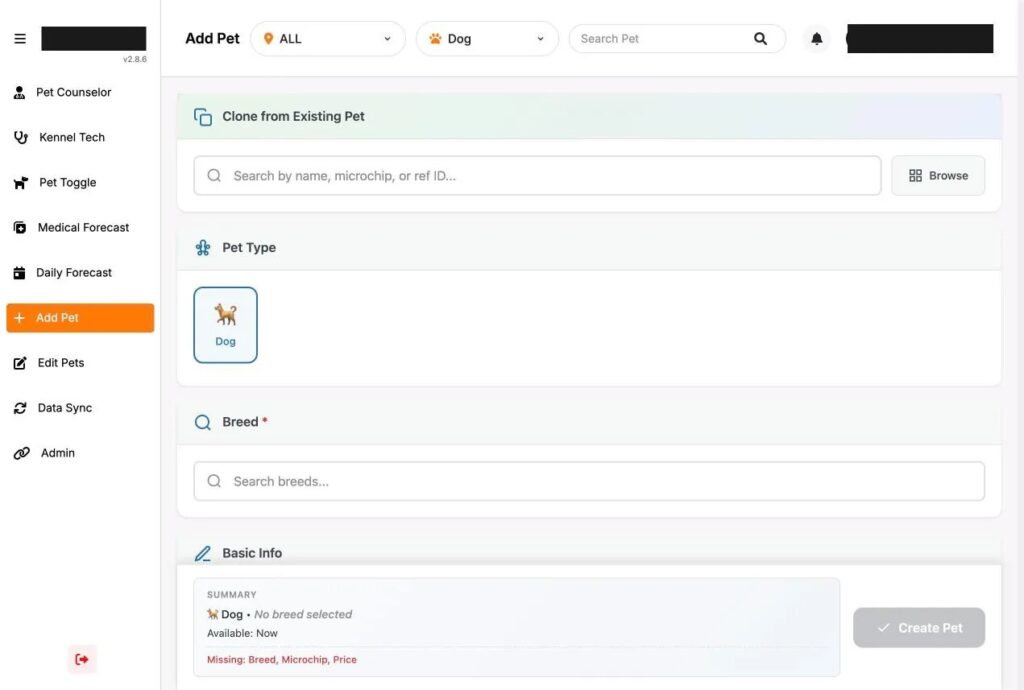
Your staff will still add pets by hand sometimes, so look at that screen too. When a litter comes in, it helps to clone a similar pet, have size and coat filled in from the breed, and get a warning if a microchip number is already in the system. If your records are still on spreadsheets and kennel cards, we wrote up how to move them over.
Daily care the kennel room will actually use
Paper hangs on longest in the kennel room. Someone walks the room in the morning, feeds, weighs, takes temperatures, gives meds and writes it all on a card or the whiteboard. Kennel software only replaces that if it’s faster than the card.
What to check
- Kennel techs can log feedings, weights, temperatures and treatments on a tablet, standing at the kennel.
- Bulk entry works. When a whole row of puppies gets the same dewormer, that should be one entry.
- The schedule builds itself. Vaccine boosters and deworming follow a routine, so set the routine once and let each shift see what’s due today.
- Missed care gets flagged. If the morning weights didn’t happen, a manager should know before lunch, not at the end of the week.
- Records print cleanly, for the days you need paper anyway, like a vet visit or an inspection.
Health records should live on the same pet record as the sale. When a customer at the counter asks when the last deworming was, your pet counselor shouldn’t have to walk to the back to find out.
The sales floor
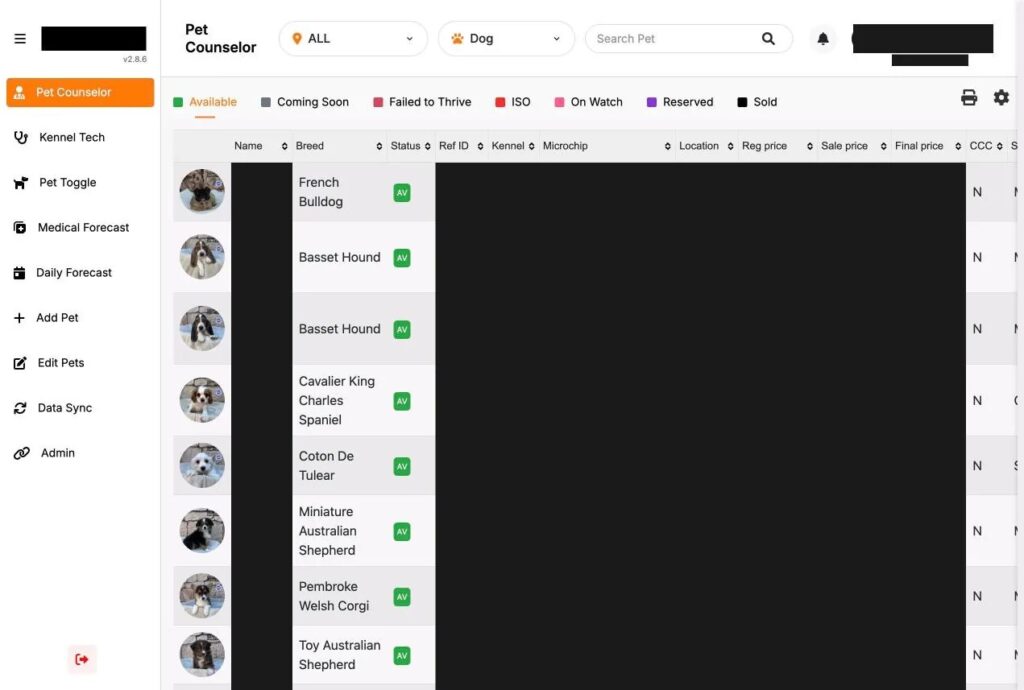
Pet counselors need one screen with every puppy that’s available, coming soon, reserved or sold, searchable by name, breed or reference number. Each role should see only what it needs. A counselor needs the price. They rarely need to see what you paid for the puppy.
Look at how the system handles a puppy that’s out of its kennel. If a family is in the visiting room holding a puppy, nobody should be able to buy that puppy online at the same moment. Ask the vendor to show you how they prevent that.
Then run a real sale in the demo: customer details, a protection program and a starter kit as add-ons, a discount, a second owner, and credit for the associate who helped. In UKM this is the adoption screen, and it handles all of those on one page. Whatever system you look at, ask the vendor to do the whole sale while you watch, start to finish.
Contracts and health paperwork
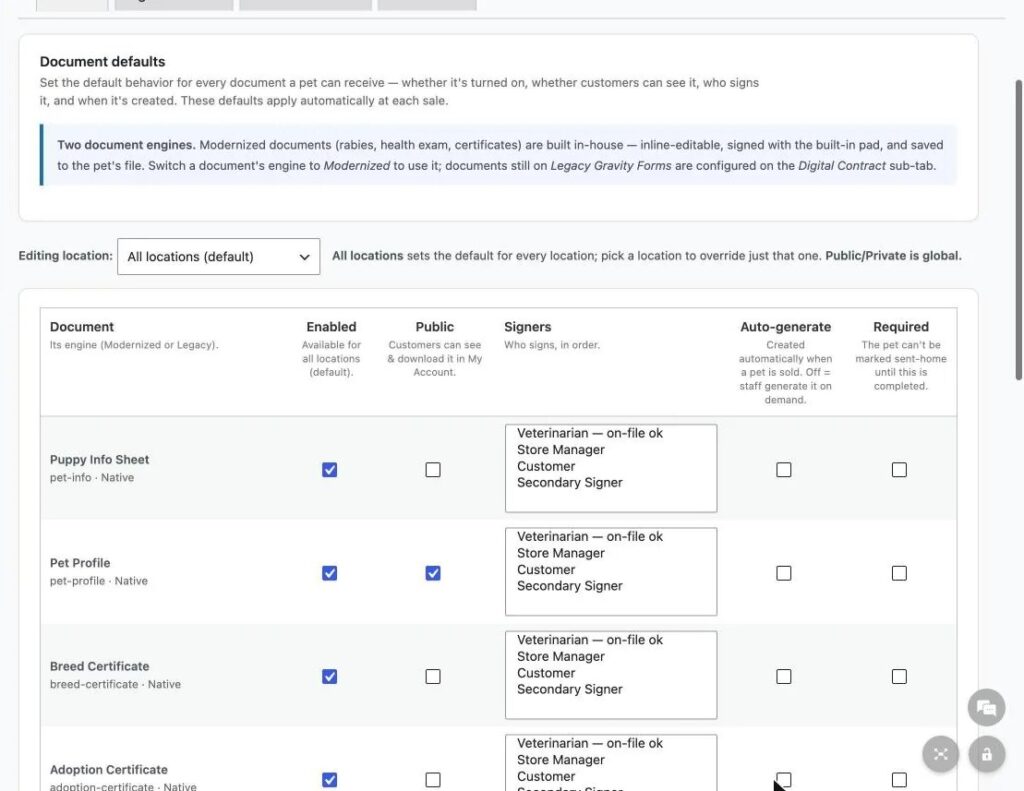
A puppy sale usually comes with several documents: the contract, the warranty, a health exam, sometimes a rabies certificate, and the breeder paperwork you pass along. Ask the vendor these questions:
- Can you use your own contract and warranty files, or only their template?
- Can a vet, a manager and the customer each sign, in an order you set?
- Can you require certain documents before a puppy goes home?
- Can a customer sign by remote link, for a deposit taken over the phone?
- Where do signed copies go, and who can download them?
We wrote a separate piece on e-signed puppy contracts and warranties if you want the detail on that part.
How kennel software should connect to your website and tools
If families find your puppies online, the website has to match the kennel. The simplest way to get there is for the website and the kennel software to share the same pet record. UKM runs on WordPress and WooCommerce, so each pet is a product in your online store and each sale becomes an order.
Make a list of everything else a sale touches and check it against the vendor’s integrations. That usually means microchip registration (UKM, for example, registers chips with FindPet and PetKey), pet insurance, your CRM, your point of sale, call tracking and your ad accounts. If a lot of your puppy inquiries come from Google Ads, you should be able to see which sold puppies came from which campaigns. We covered that in more detail in connecting online ads to in-store puppy sales.
Kennel software reports you’ll open every week
Ask to see the reports themselves, not a list of report names. For a store that sells puppies, the useful ones are profit, sales by breed, care compliance (were the daily records actually done), current inventory and days in house. Days in house matters because it drives markdowns, and some systems will mark prices down on a schedule by age or days in house, with exclusions you set.
If you run more than one store, check that each location keeps its own contacts, supplier IDs and documents, and that moving a puppy between stores produces the transport paperwork.
Five things to ask for in a kennel software demo
- A new puppy arriving from your own supplier feed, from the review queue to the website.
- This morning’s care list for the whole kennel, with one bulk entry.
- A sale with two add-ons and a second owner.
- A contract signed on a tablet, then the signed copy pulled back up.
- Last month’s sales by breed.
The Unified Kennel Management page shows how UKM handles each of these, and you can book a demo from there. If you’re also working on how families find your store in the first place, our pet retail marketing page covers that side.