
01 / CRM and lead management New
LeadFlow
Every lead answered, followed up and tracked to the sale.
LeadFlow turns your WordPress site into a complete lead platform: a lead queue, a two way email and SMS inbox, follow ups, appointments, automations and reporting, all inside your admin.
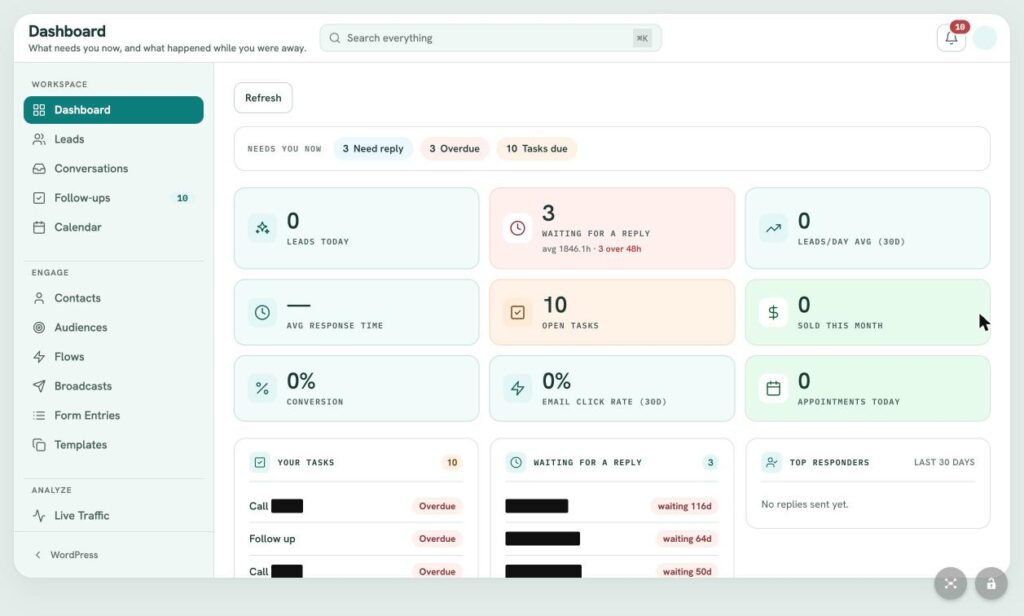
- screens in one workspace
- 16
- ready to use automations
- 27
- integrations you control
- 15
- login: your WordPress admin
- 1
One plugin replaces
- CRM
- Shared inbox
- Texting platform
- Drip email
- Appointment scheduler
- Website analytics
- Sales attribution
Inside LeadFlow
Everything a lead needs. One workspace.
LeadFlow runs as a full screen app inside WordPress, grouped into Workspace, Engage and Analyze, with search across everything and alerts that follow your team.
Workspace
Engage
Analyze
 (view larger)
Workspace / Dashboard
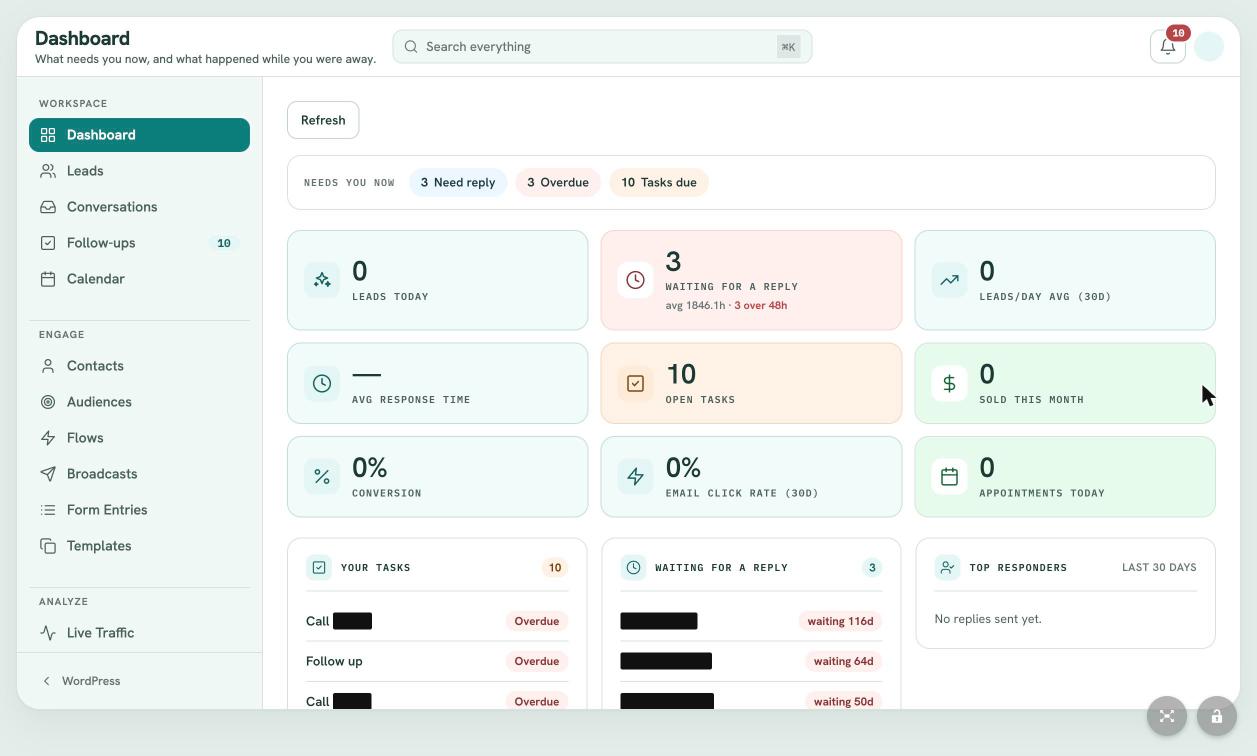
Know what needs you right now.
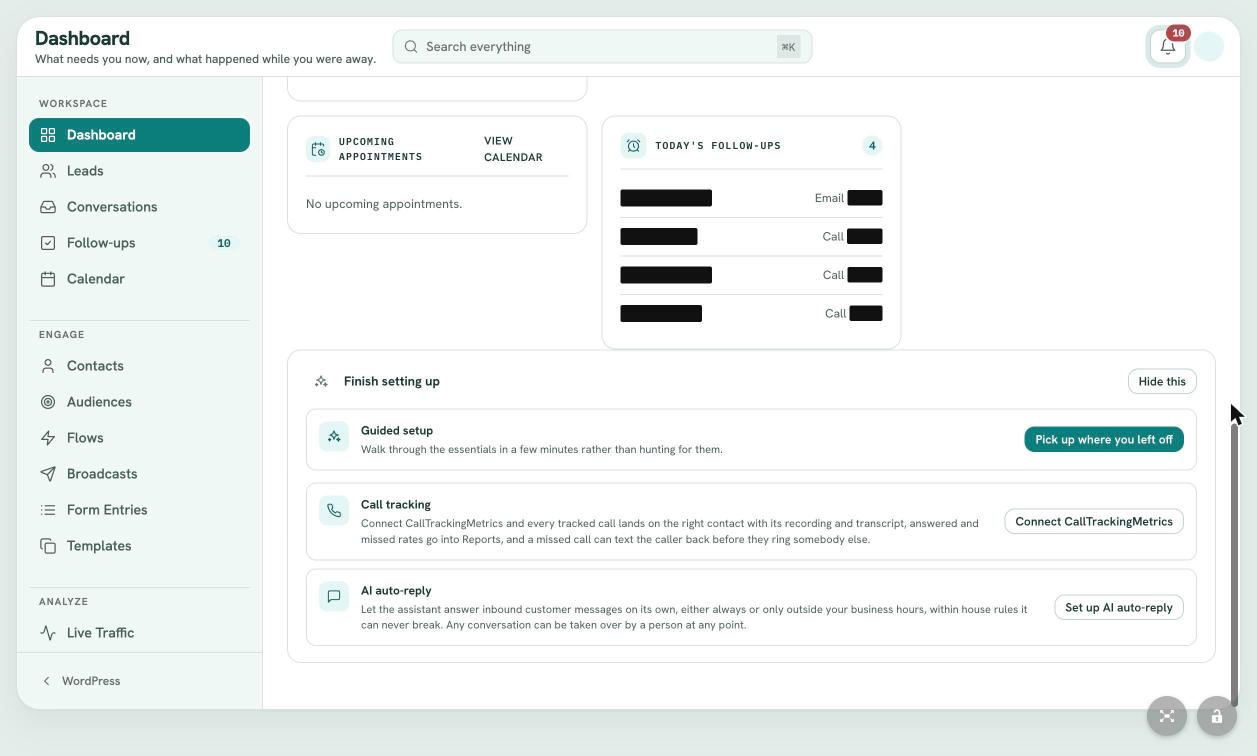
The day opens with a Needs You Now strip: conversations waiting on a reply, overdue leads and tasks due. Nine live tiles track leads today, reply wait times, response speed, open tasks, sales this month, conversion, email clicks and today's appointments.
- Needs You Now strip
- Nine live KPI tiles
- Top responders and upcoming visits
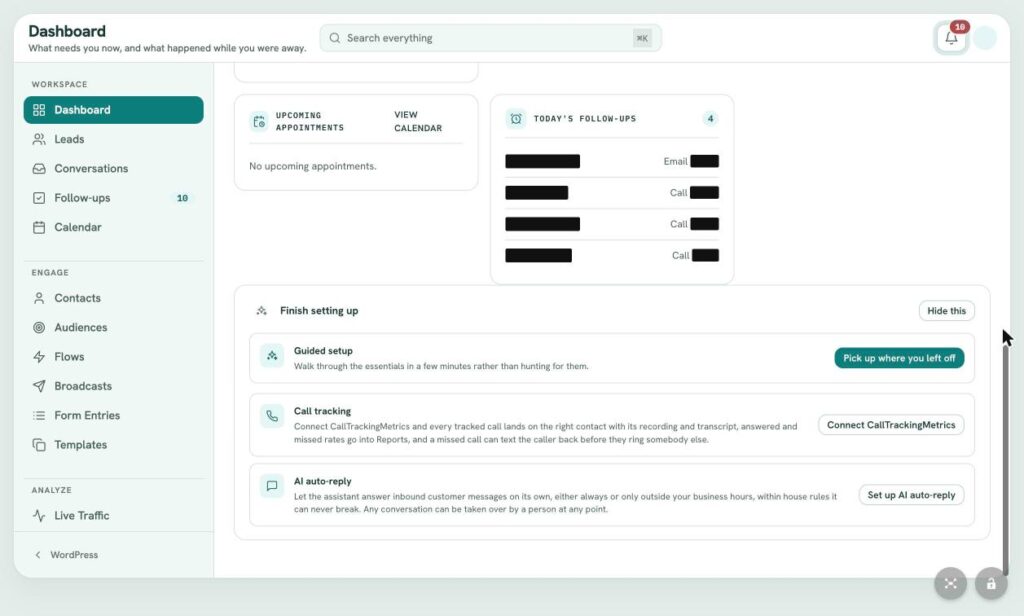
- Guided setup checklist
 (view larger)
Workspace / Leads
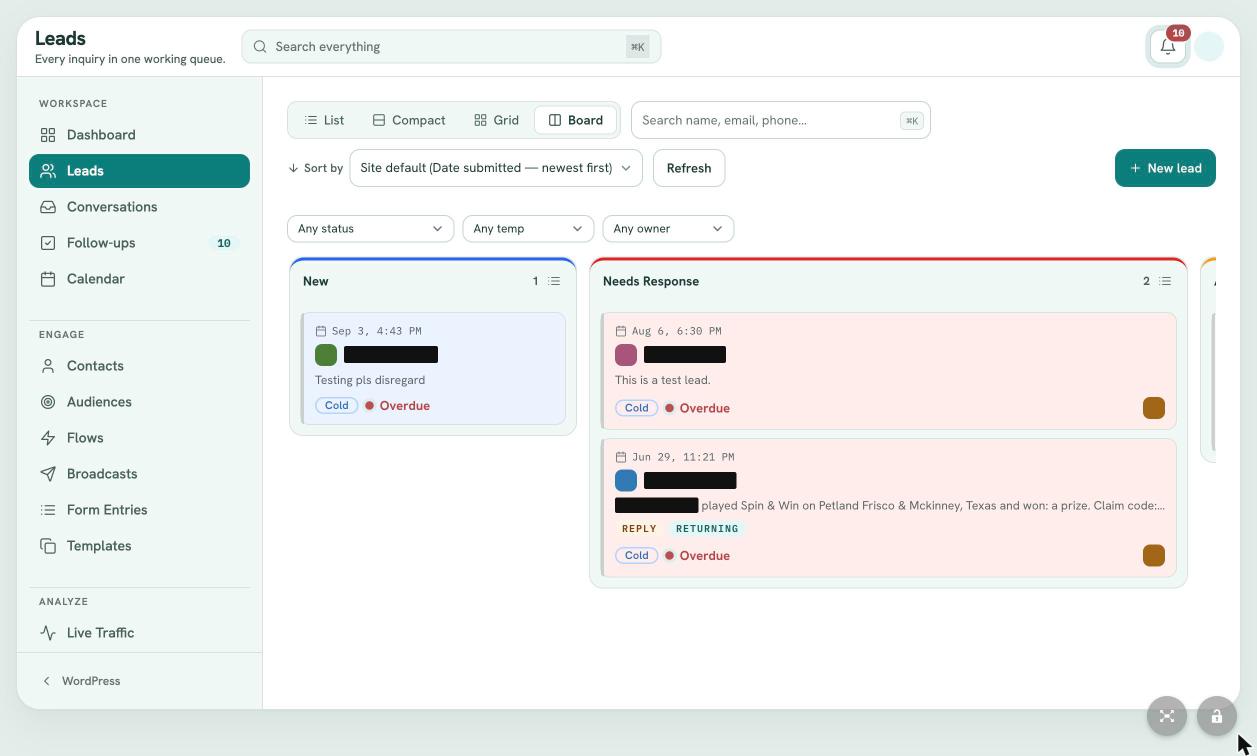
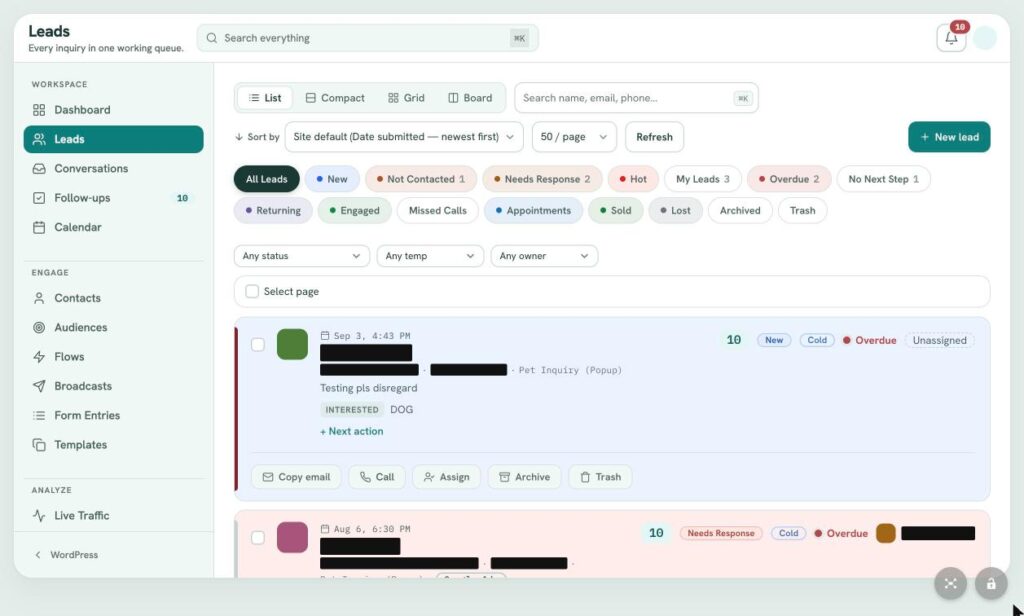
A lead queue that never loses one.
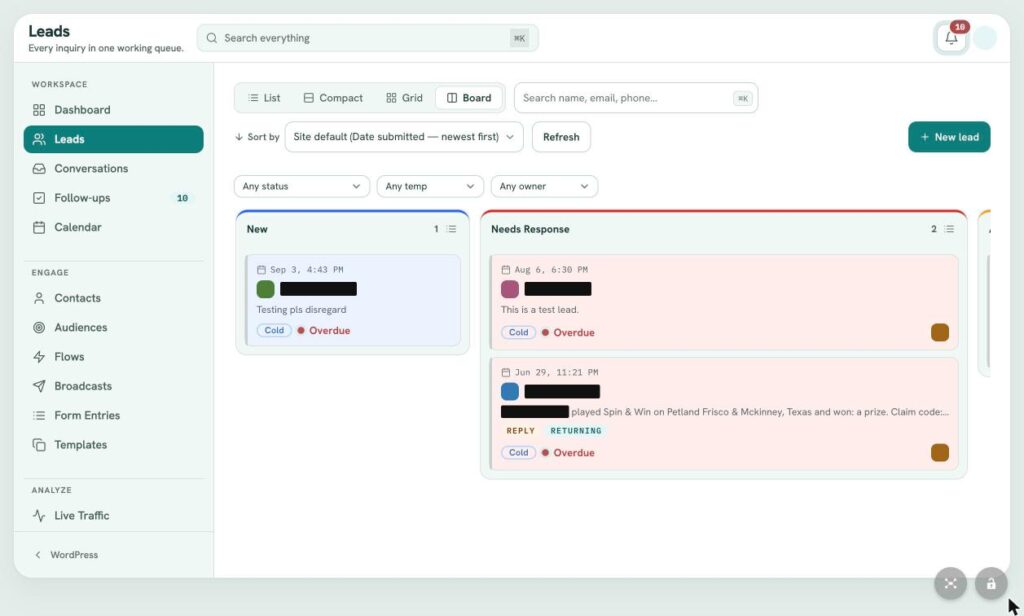
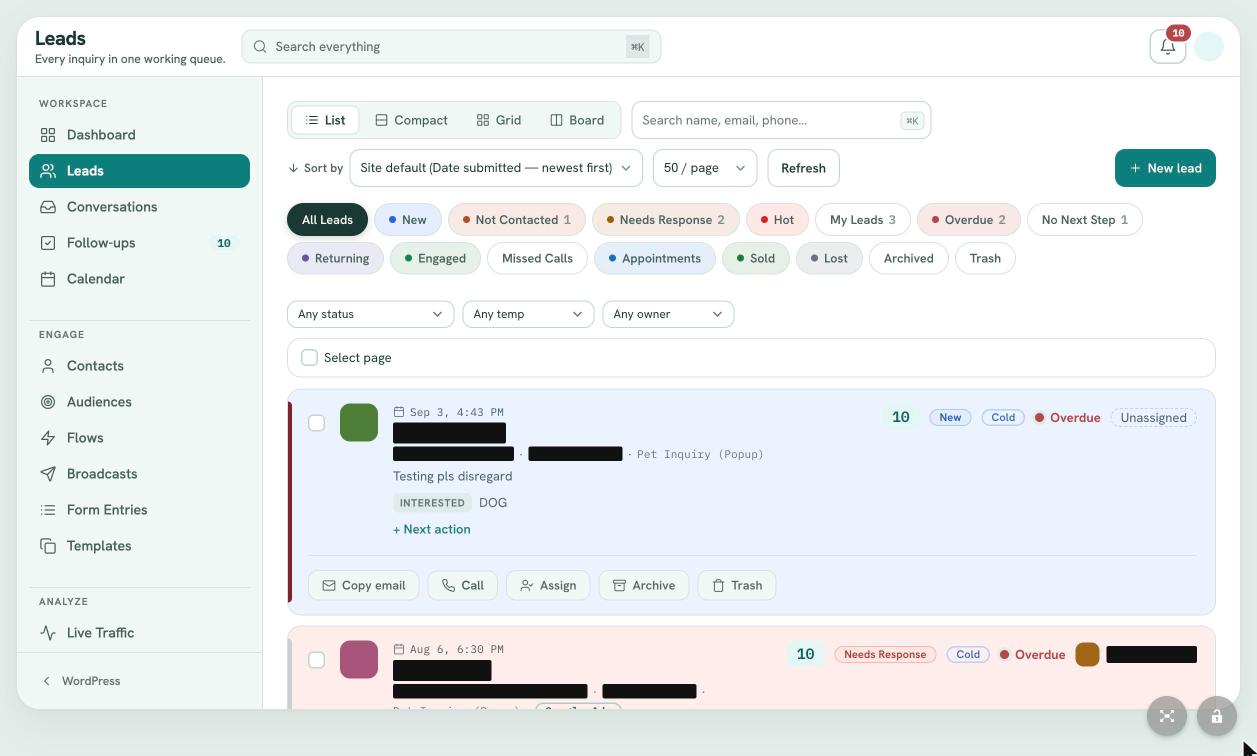
Every inquiry lands with an owner, status, temperature, score and response clock. Work the queue in list, compact, grid or Kanban board views, and filter in one click: new, hot, overdue, no next step, returning, missed calls and more.
- List, grid and Kanban board views
- Response timers on every lead
- One click call, email, assign and archive
- Saved filters for every teammate
 (view larger)
Workspace / Lead record
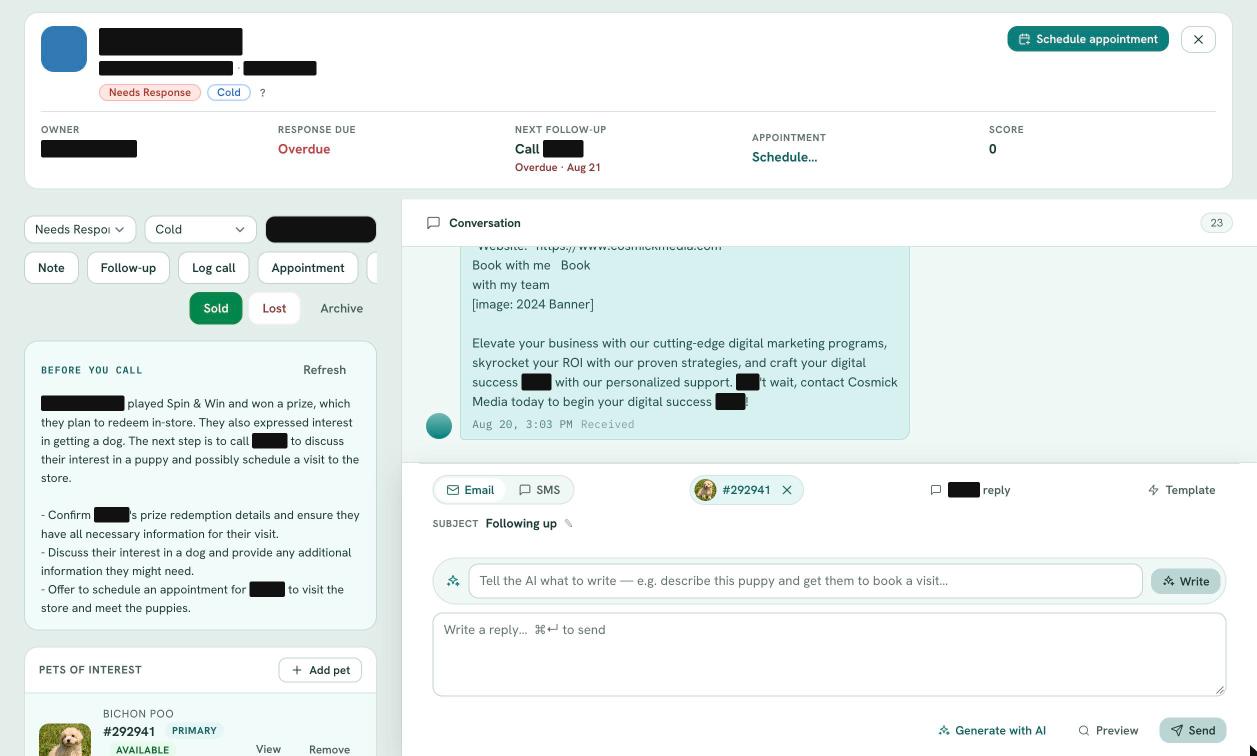
Walk into every call prepared.
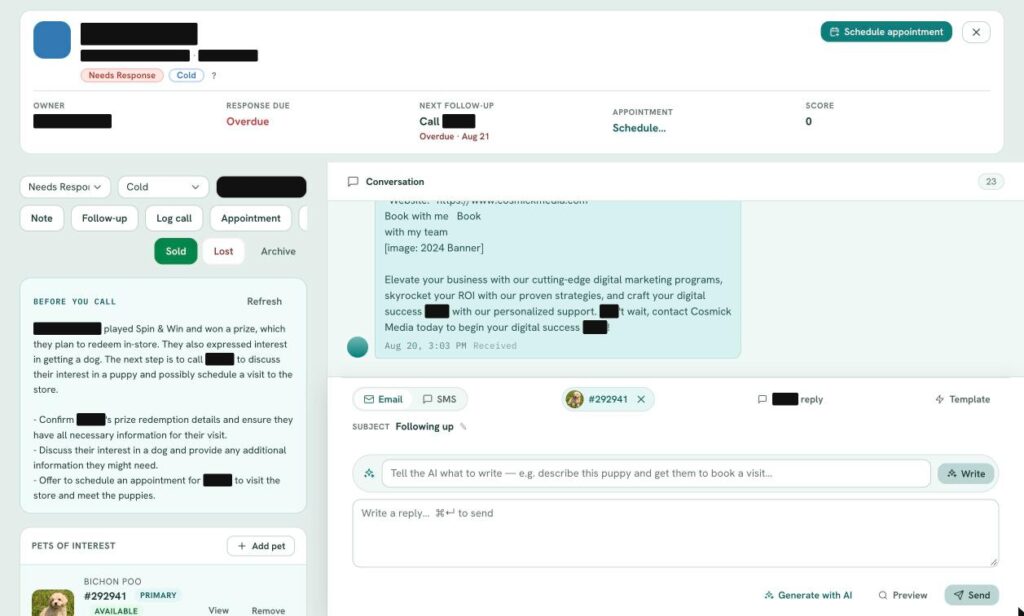
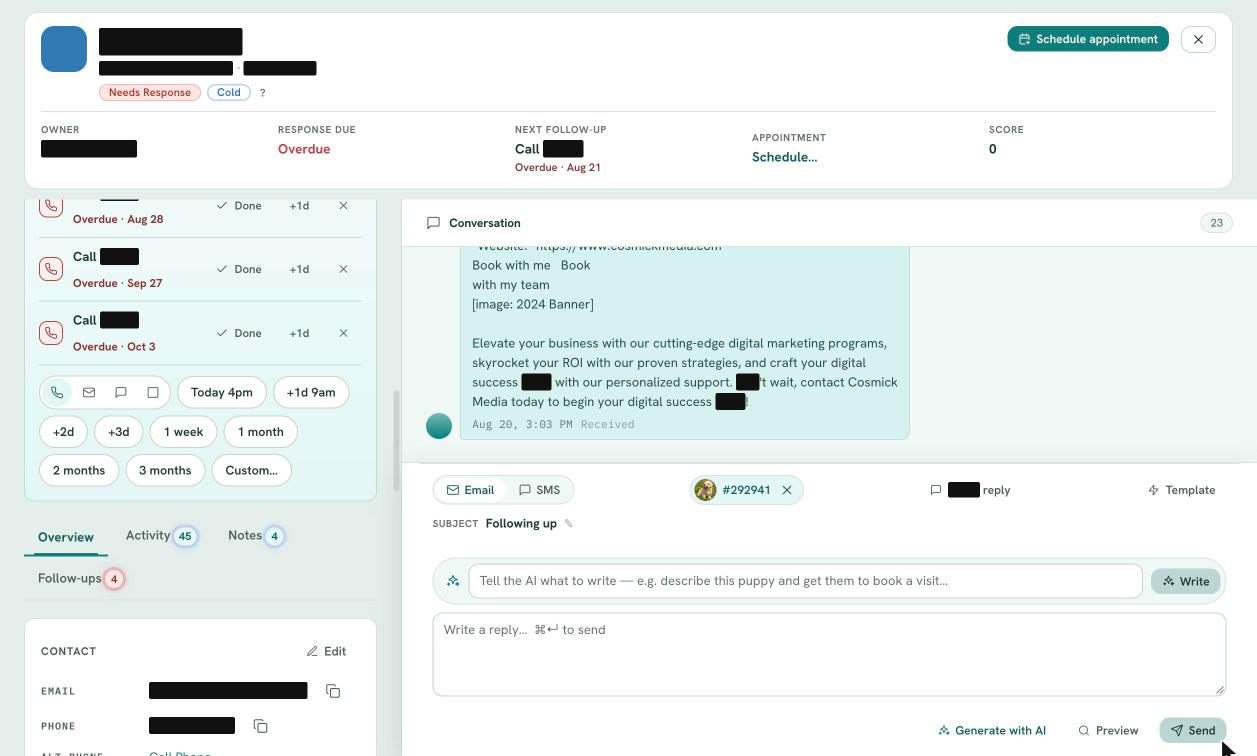
Open a lead and see the owner, response due, next follow up, appointment and score at a glance. An AI written Before You Call briefing sums up who the person is and what to do next, with the full email and SMS conversation right beside it.
- AI Before You Call briefing
- Pets or products of interest on the lead
- Note, log a call, book, mark sold or lost
- Full activity and notes history
 (view larger)
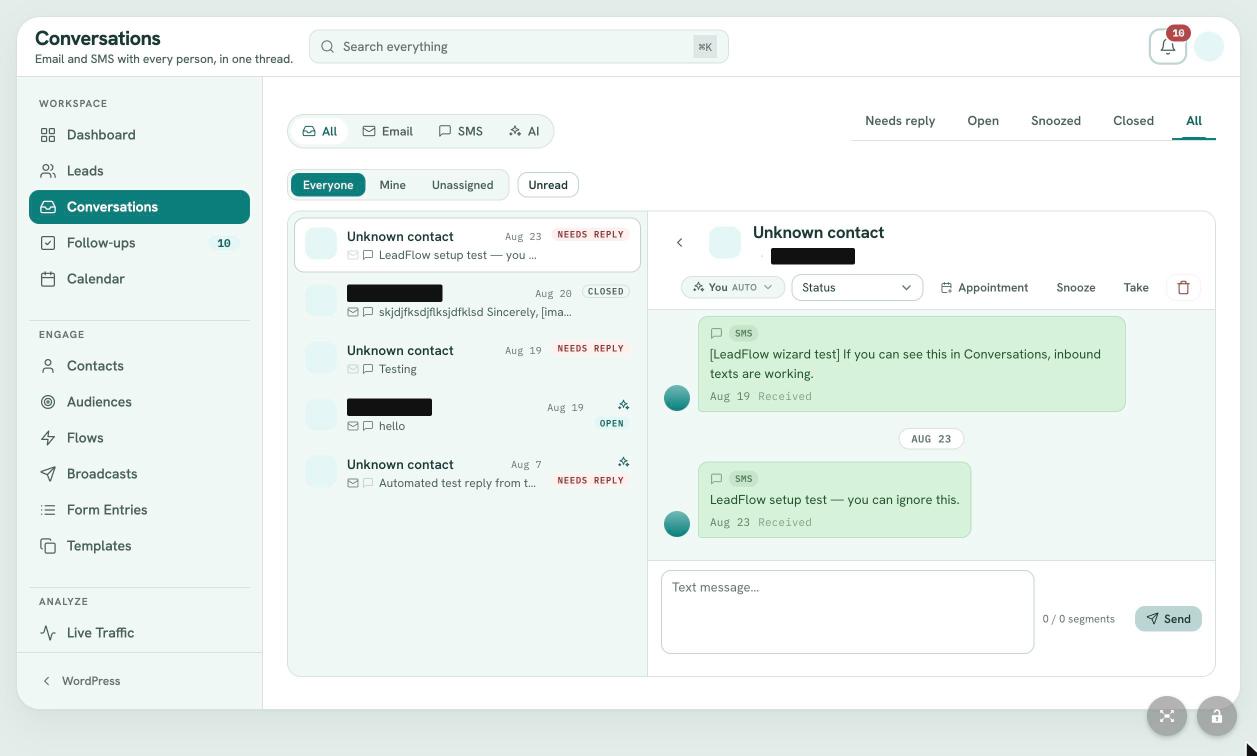
Workspace / Conversations
Email and text in one shared inbox.
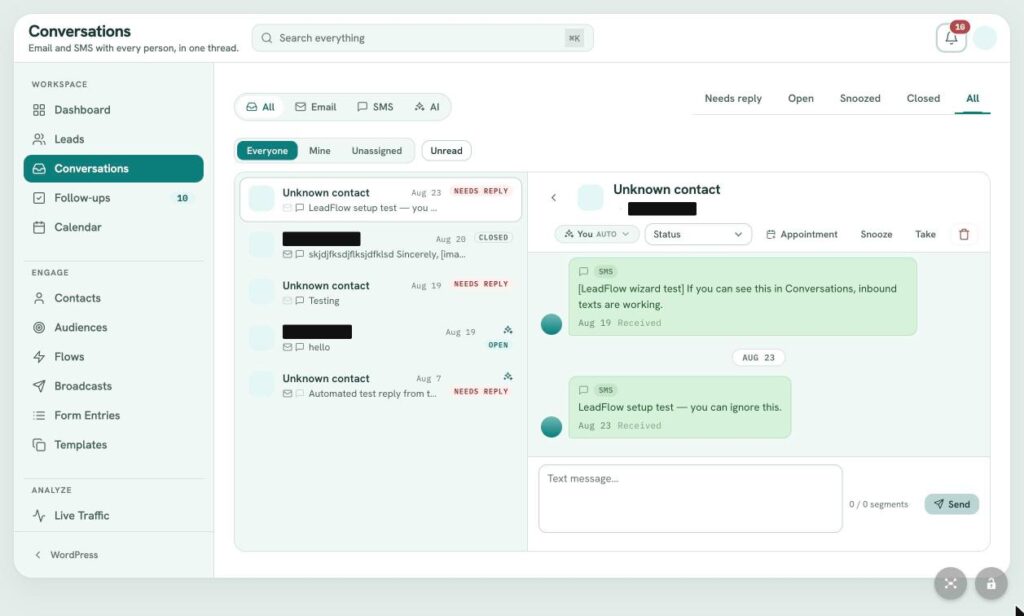
Every email and SMS thread in one place, filtered by channel, owner and state. Assign a thread, snooze it, turn it into an appointment or take it over from the AI. Replies can be drafted by AI and sent from the same composer.
- Two way email and SMS
- AI drafted replies and optional AI auto reply
- Assign, snooze and close threads
- Live SMS segment counter
 (view larger)
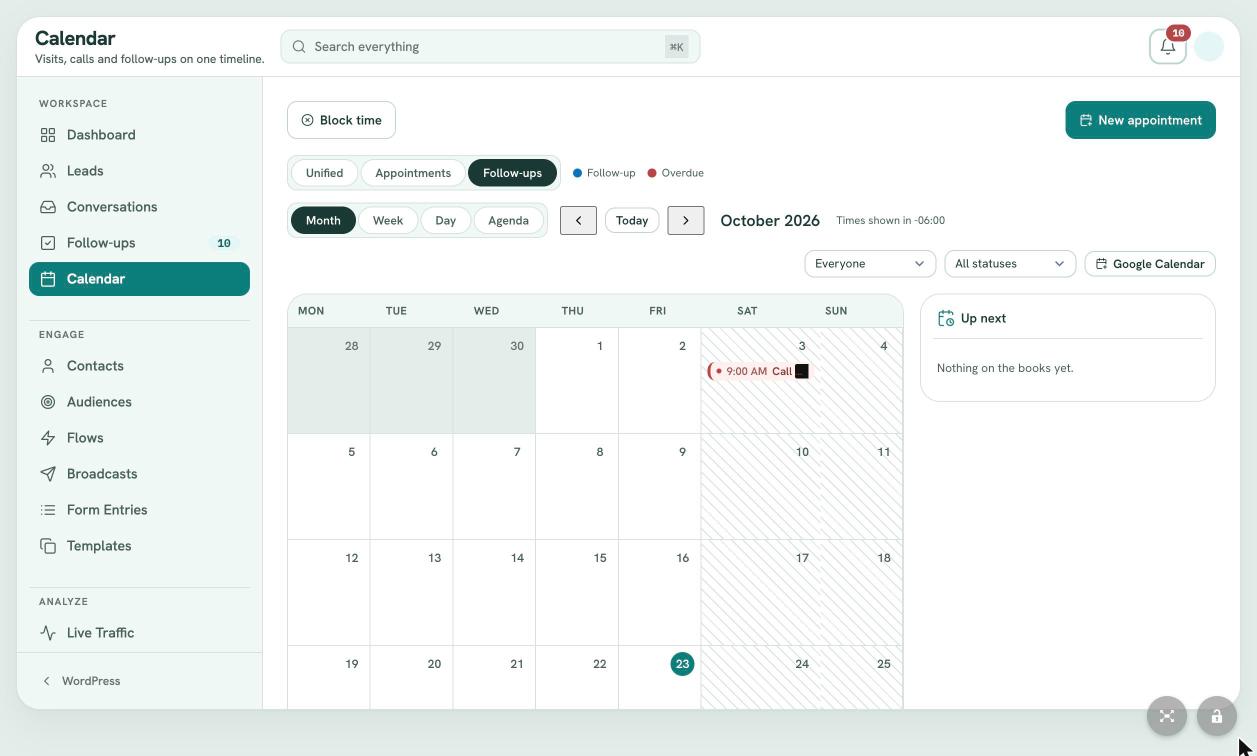
Workspace / Follow ups and calendar
Every promise kept. Every visit booked.
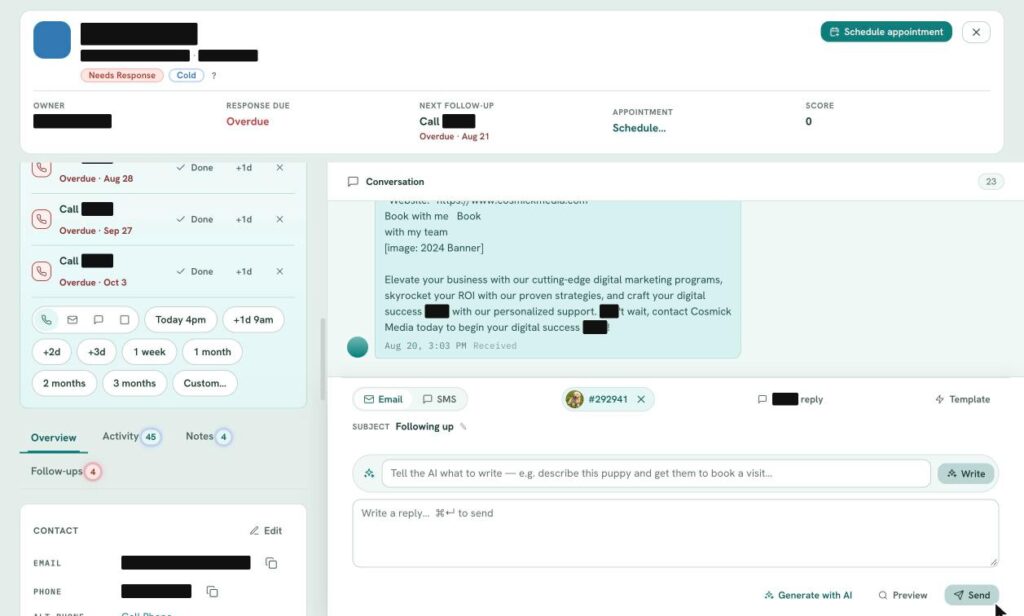
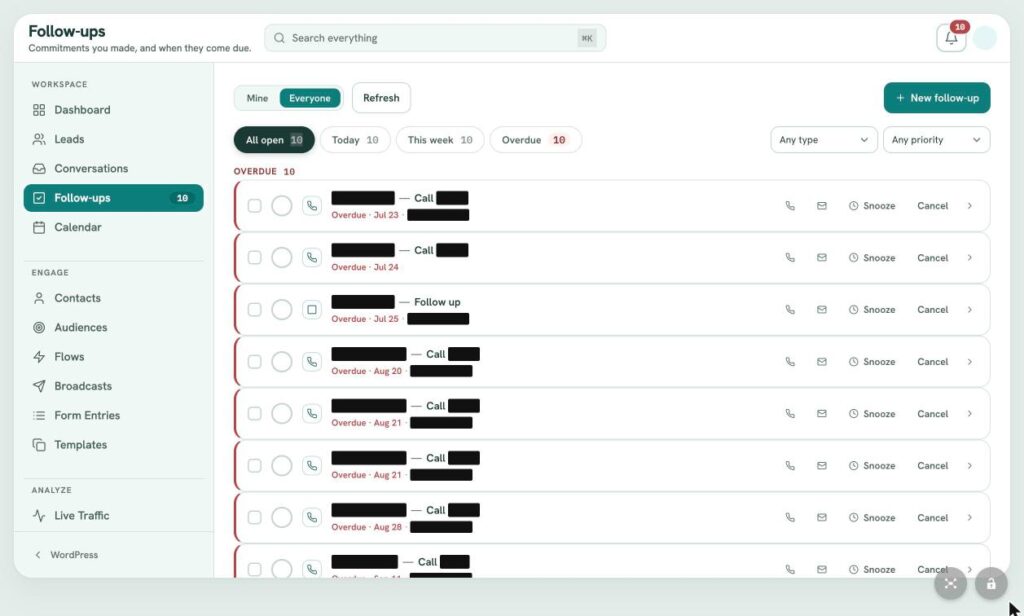
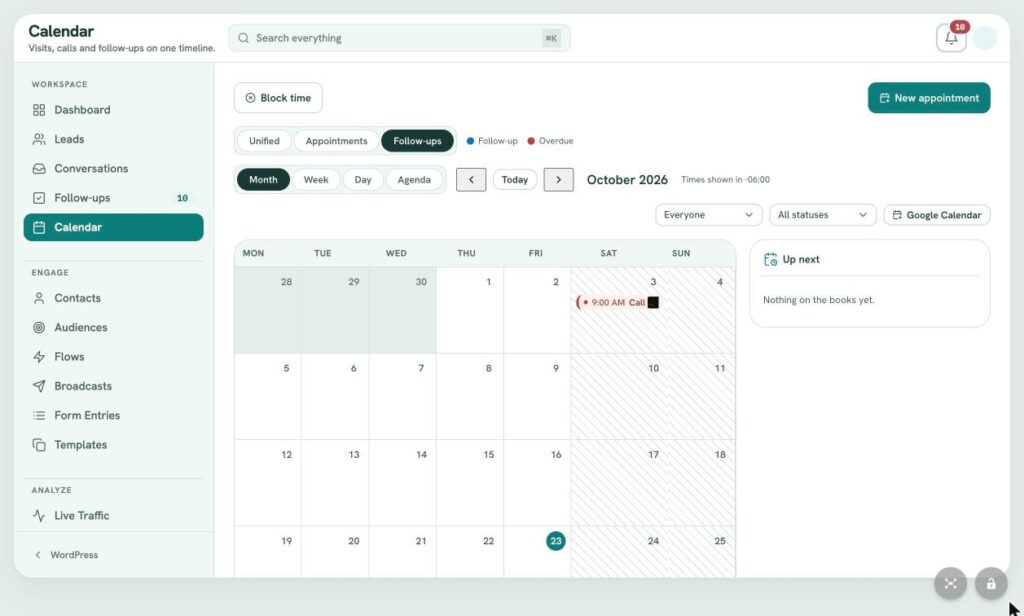
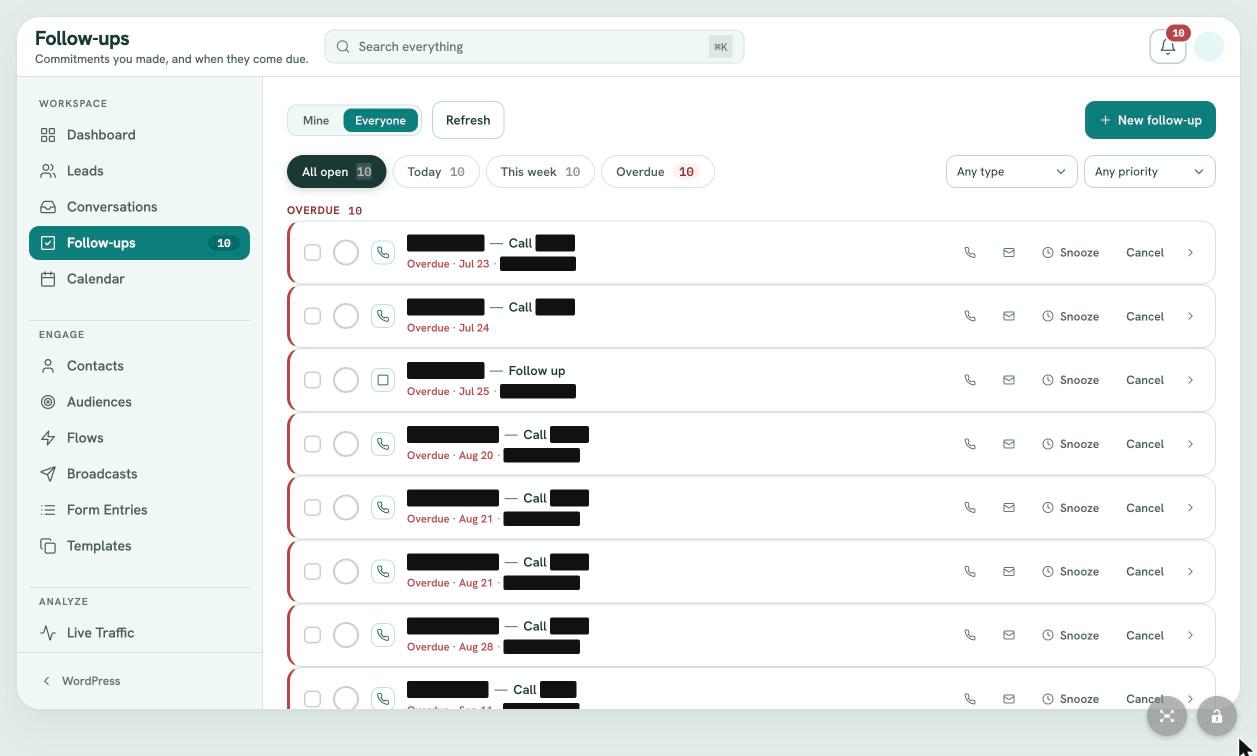
Follow ups collect every commitment your team makes, with today, this week and overdue views. The calendar puts visits, calls and follow ups on one timeline with month, week, day and agenda views, booking rules, reminders and a Google Calendar link.
- Today, this week and overdue views
- Booking rules, capacity and business hours
- Email and SMS reminders
- In person or video visits
 (view larger)
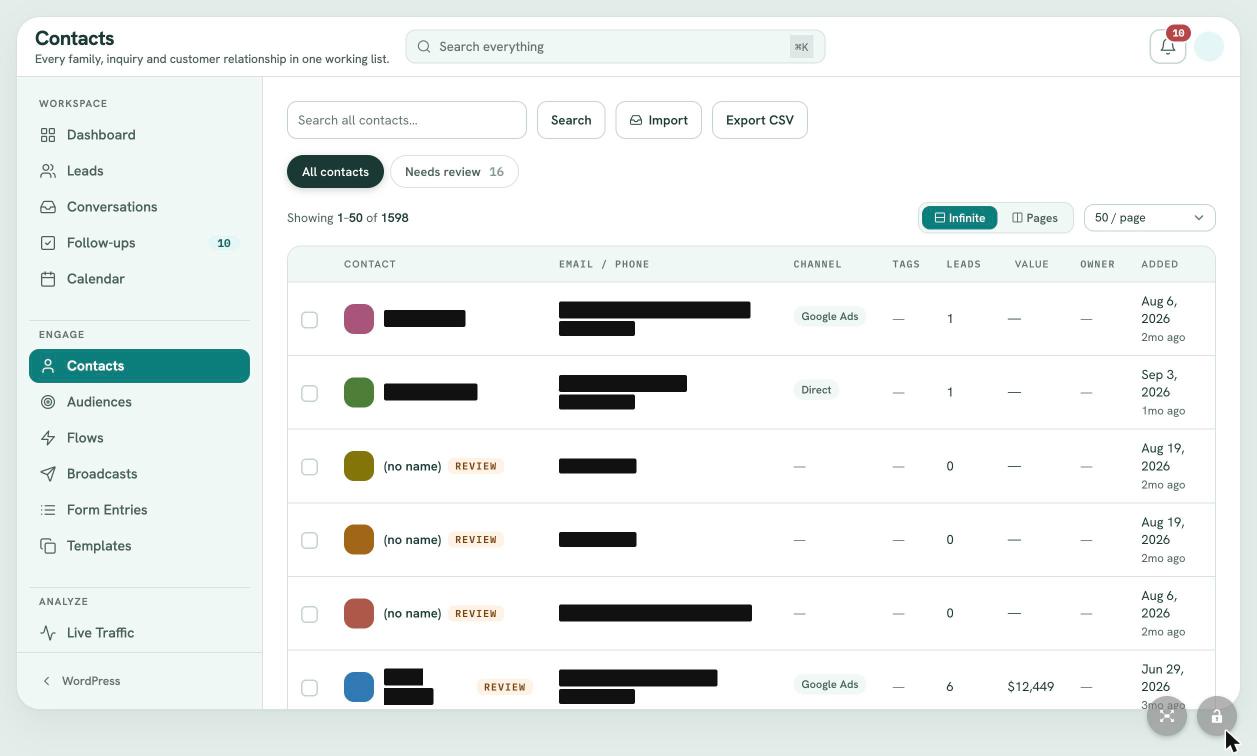
Engage / Contacts
One record per customer, for life.
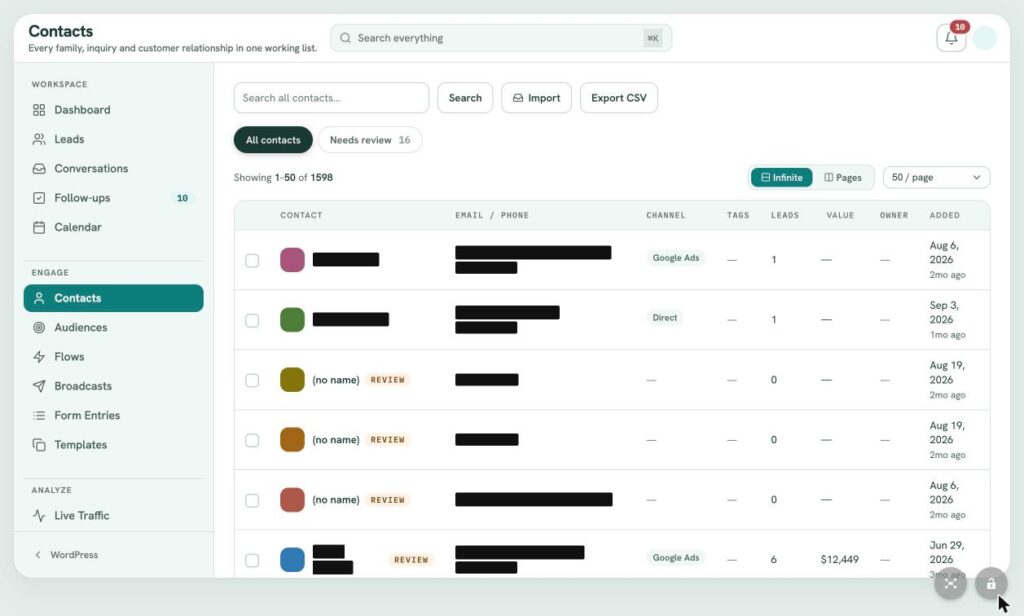
Contacts holds every customer separately from their individual inquiries, with source channel, tags, number of leads, lifetime value and owner. Import and export by CSV, and a review queue catches records with missing or questionable data.
- Lifetime value and lead count
- Tags and source channel
- CSV import and export
- Data review queue for duplicates
 (view larger)
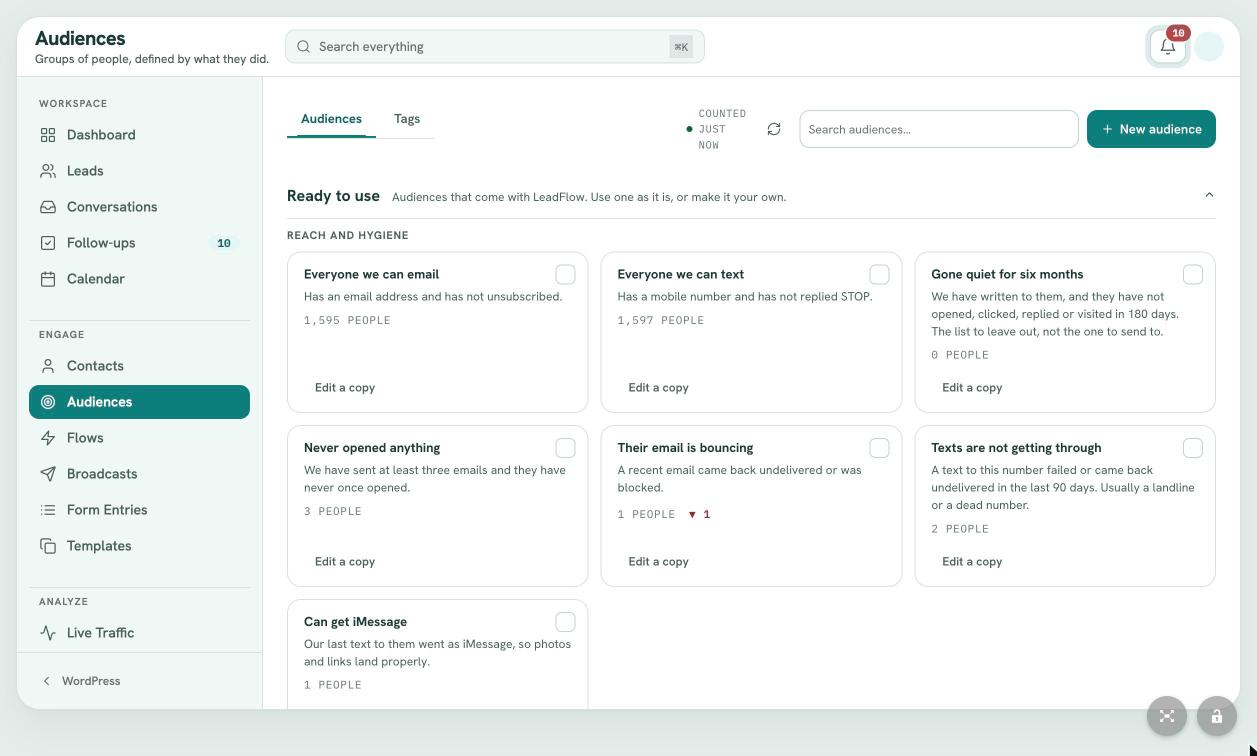
Engage / Audiences
Segments that build themselves.
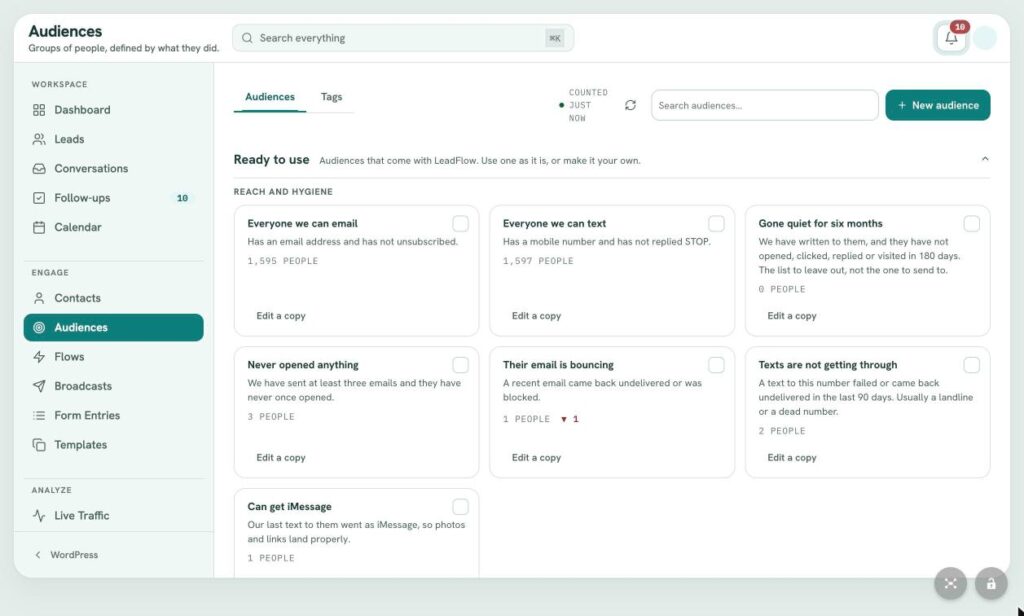
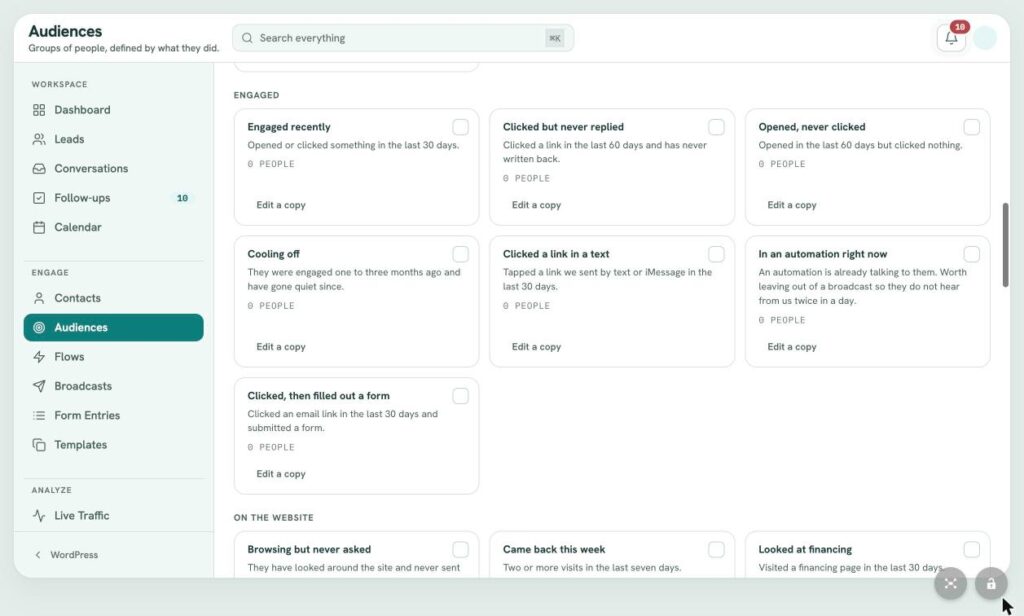
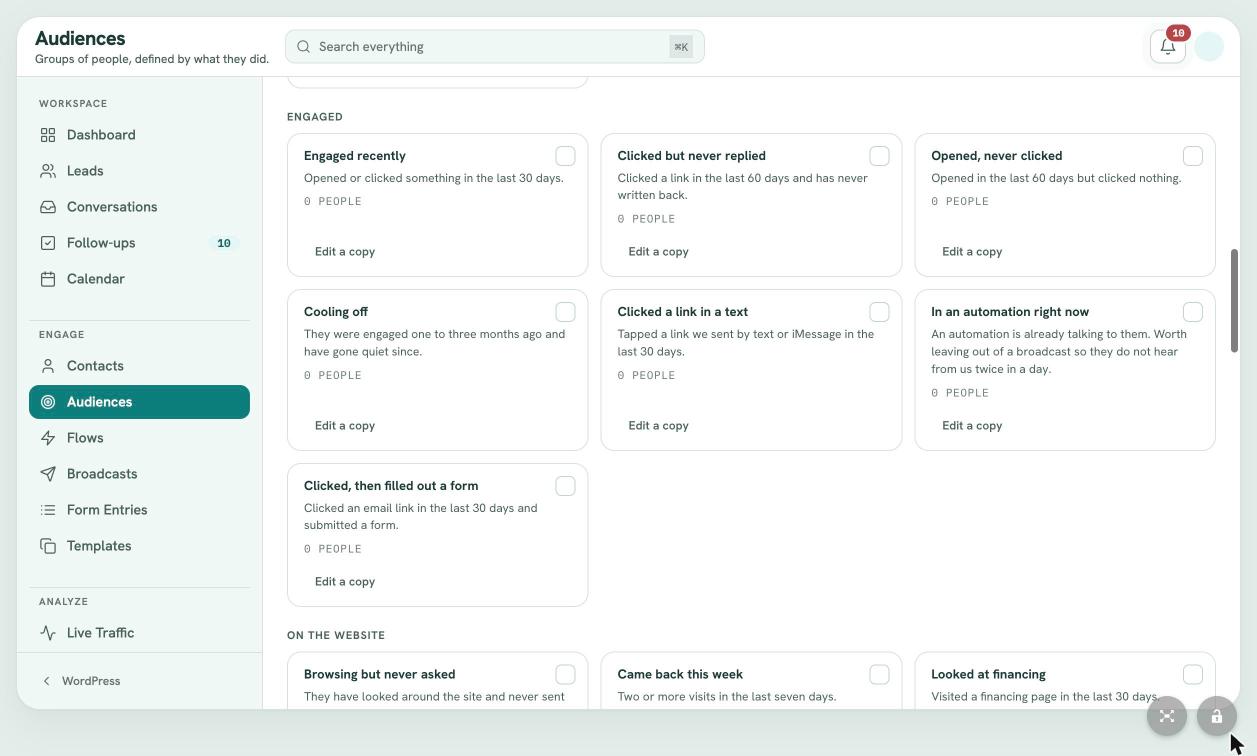
Audiences are live segments defined by behavior and ready on day one: everyone you can email or text, bouncing addresses, clicked but never replied, looked at financing, came from Google Ads, missed a visit, lost but still interested. Copy any one and make it your own.
- Live counts on every audience
- Reach, engagement, source, visits, spending and pipeline groups
- Copy and edit any audience
- Tag management
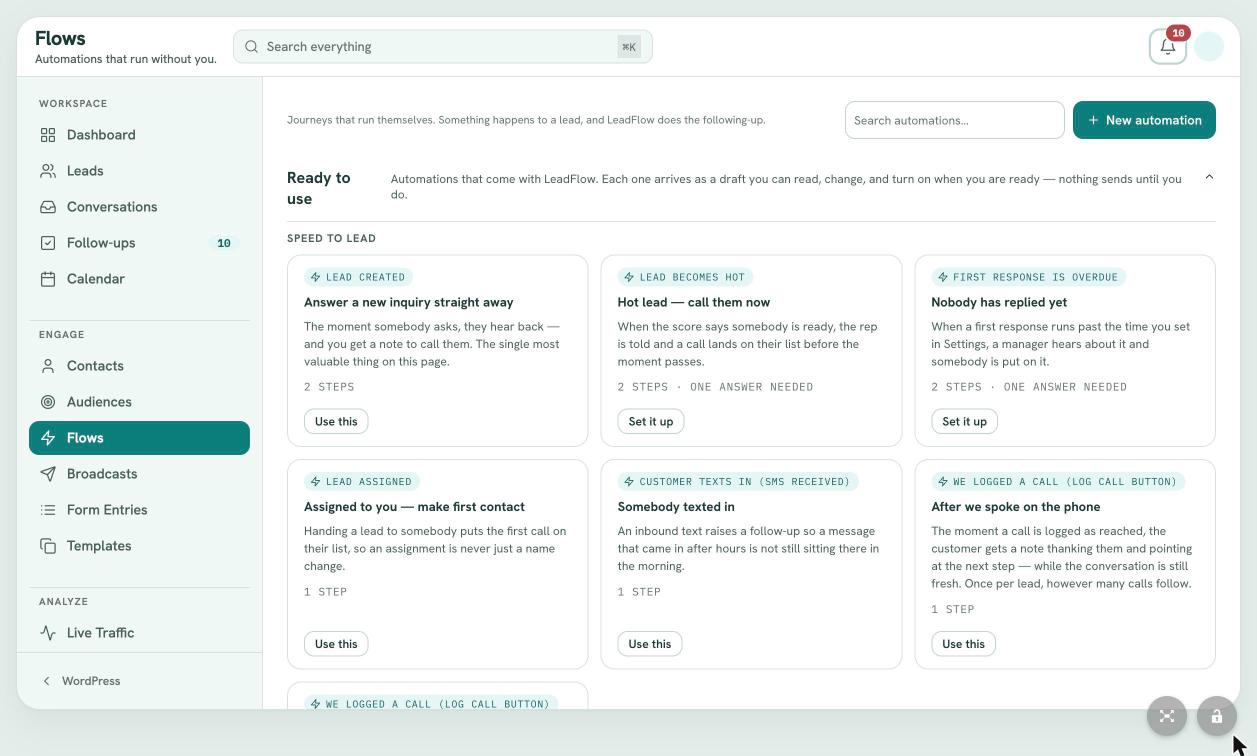 (view larger)
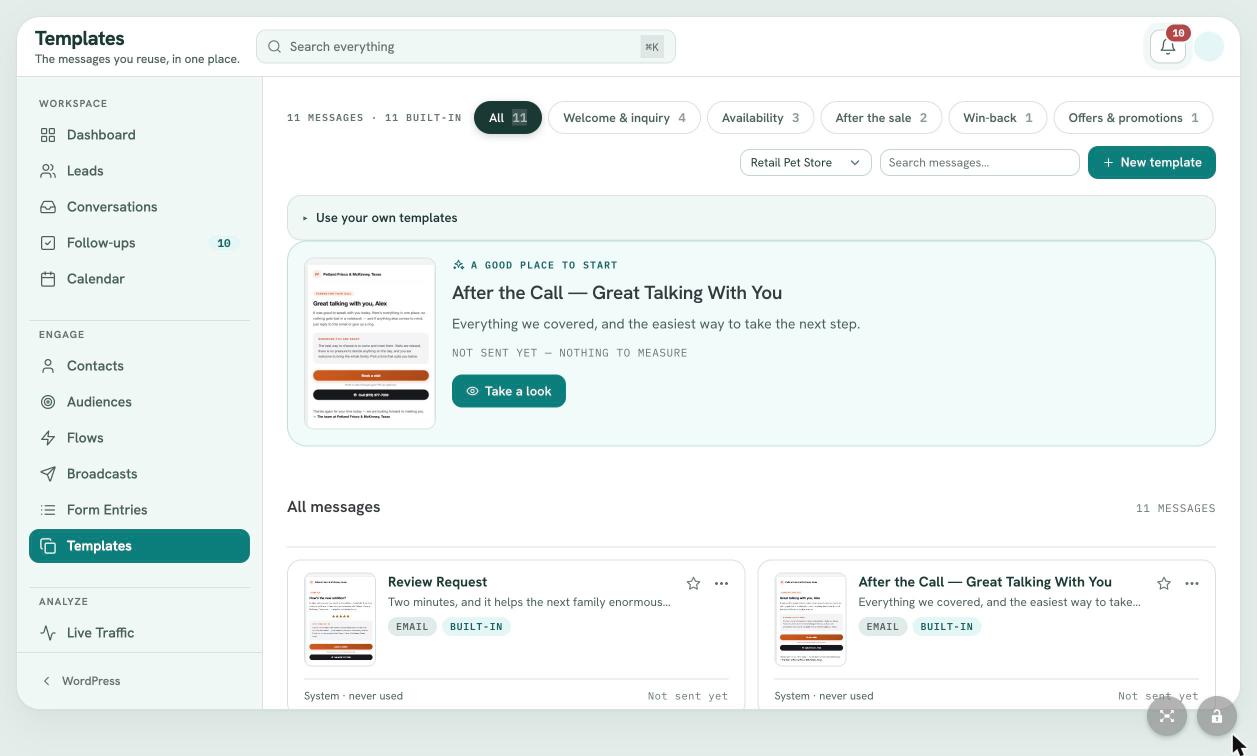
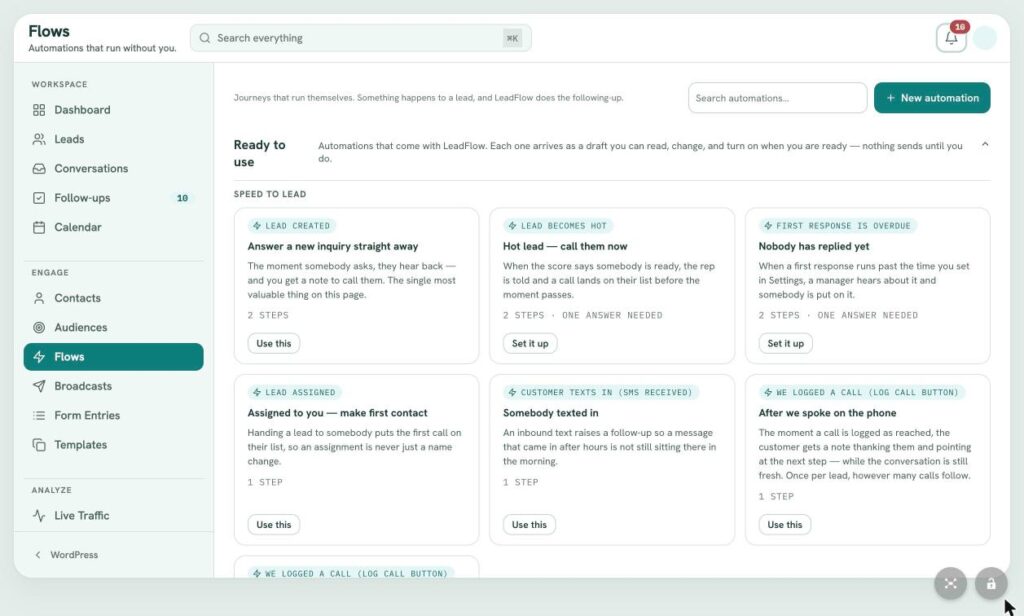
Engage / Flows
Follow up that runs without you.
Flows are trigger based journeys for speed to lead, appointments, after the sale, win back and housekeeping. Every prebuilt flow arrives as a draft, so nothing sends until you read it and turn it on.
- 27 ready to use automations
- Triggers on new leads, hot leads, texts, calls, visits, orders, clicks and page views
- No show rescue and review requests
- Nothing sends until you approve it
 (view larger)
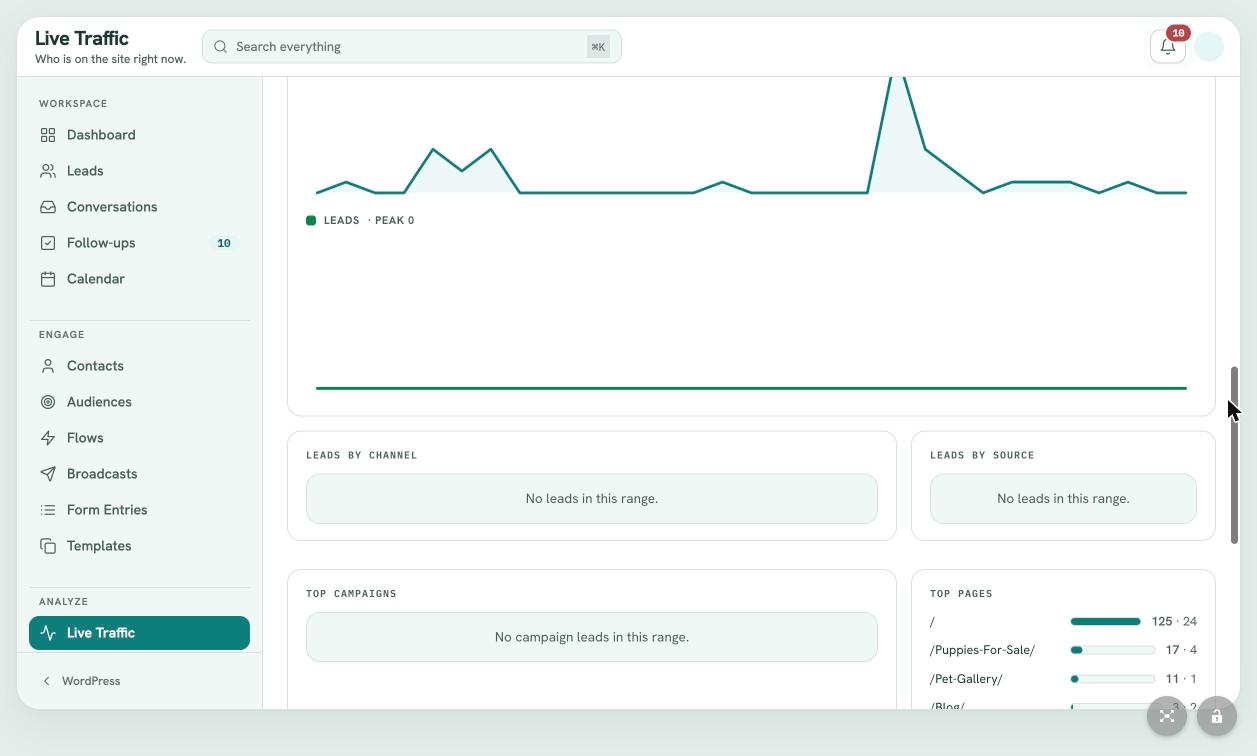
Engage / Broadcasts and templates
Branded messages to many people at once.
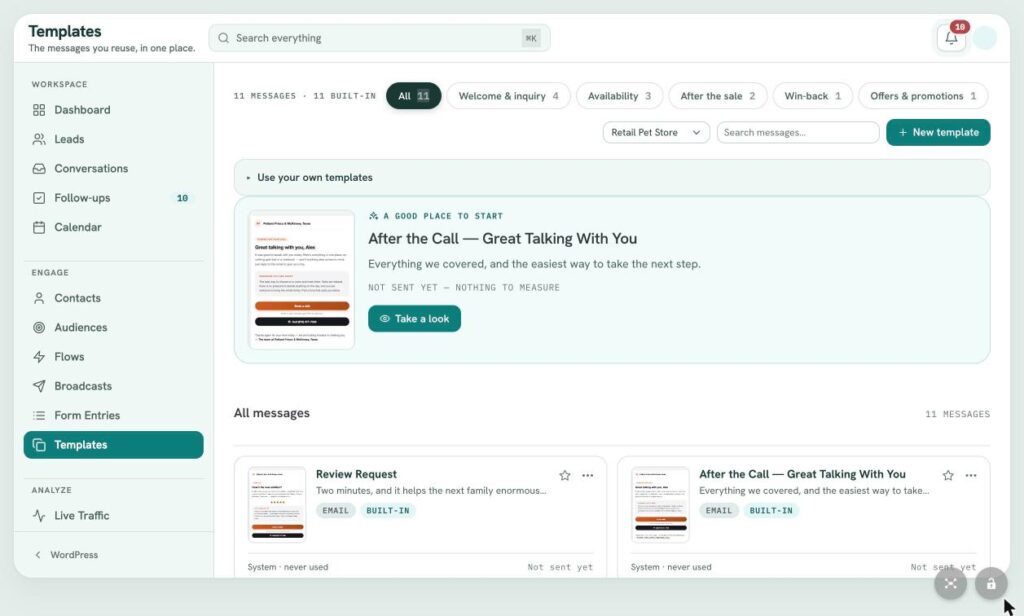
Send one email or text to any audience, with delivery pace, quiet hours, opt out language and a separate bulk carrier under your control. A library of branded templates covers welcome, availability, after the sale, win back and offers, and tracks how each one performs.
- Email or SMS broadcasts to any audience
- Quiet hours and delivery pacing
- Branded template library
- Send performance for every template
 (view larger)
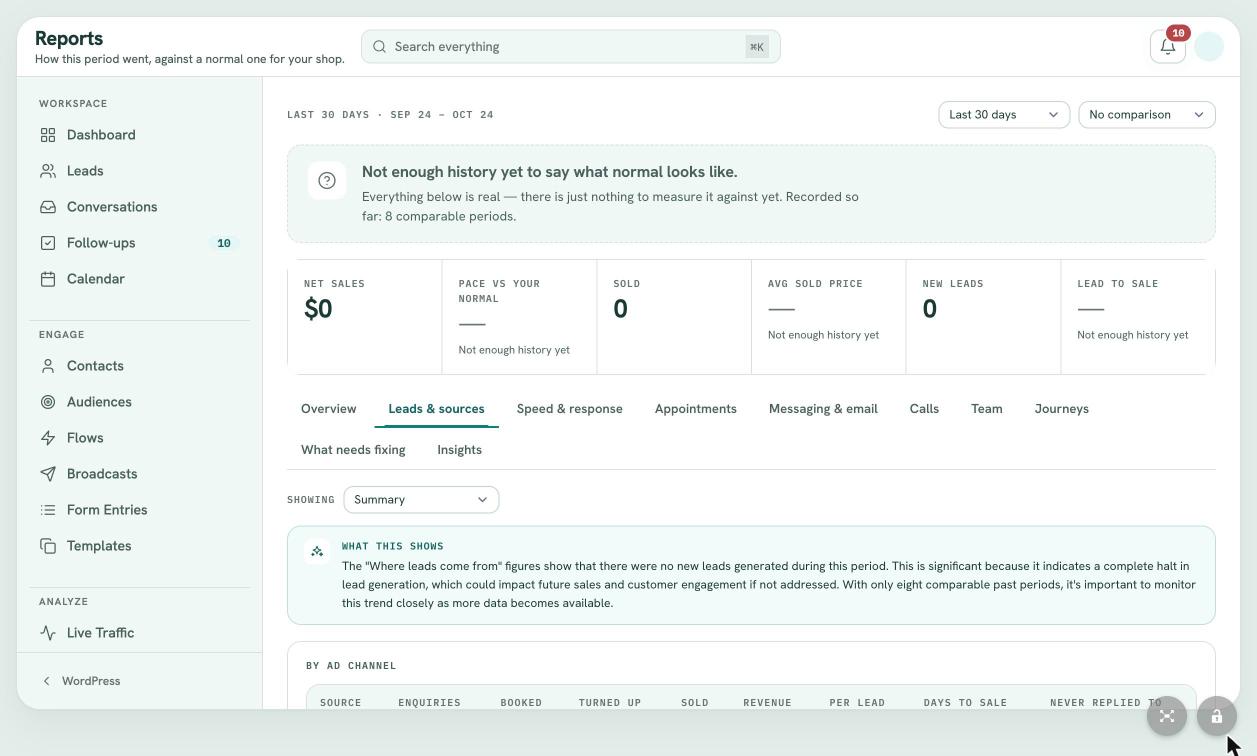
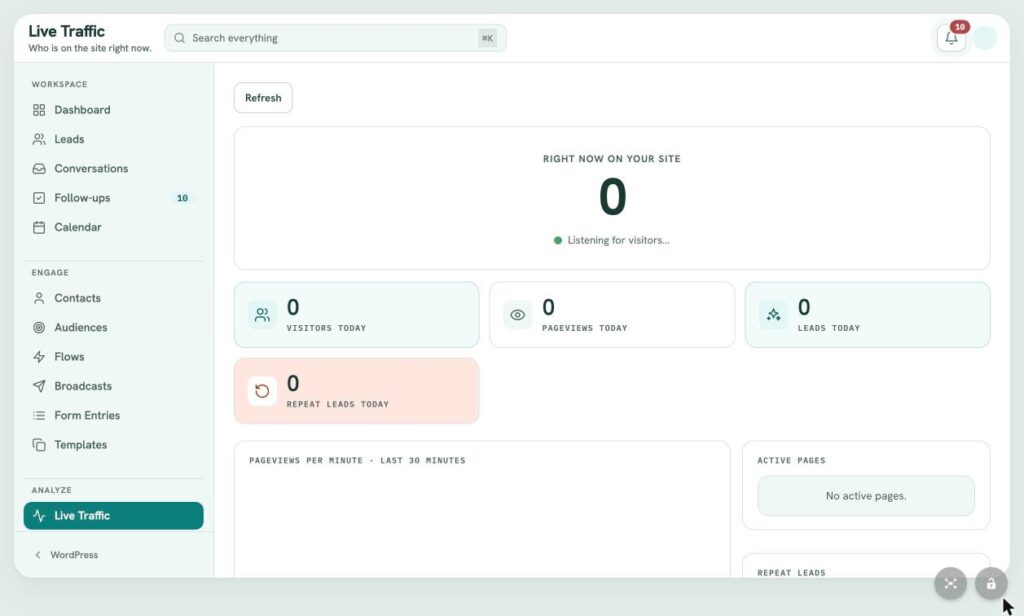
Analyze / Live traffic
See who is on your site right now.
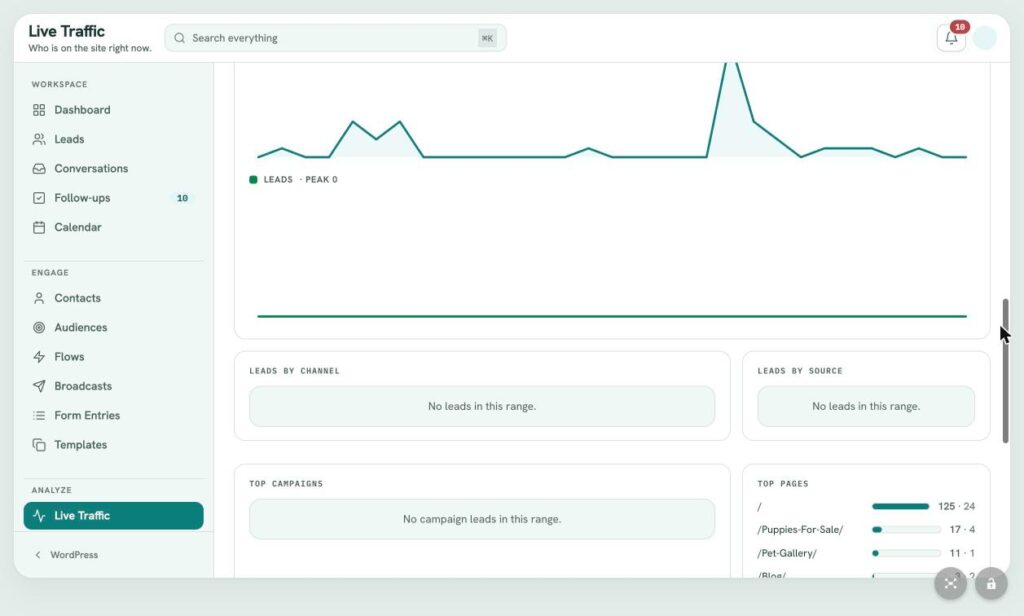
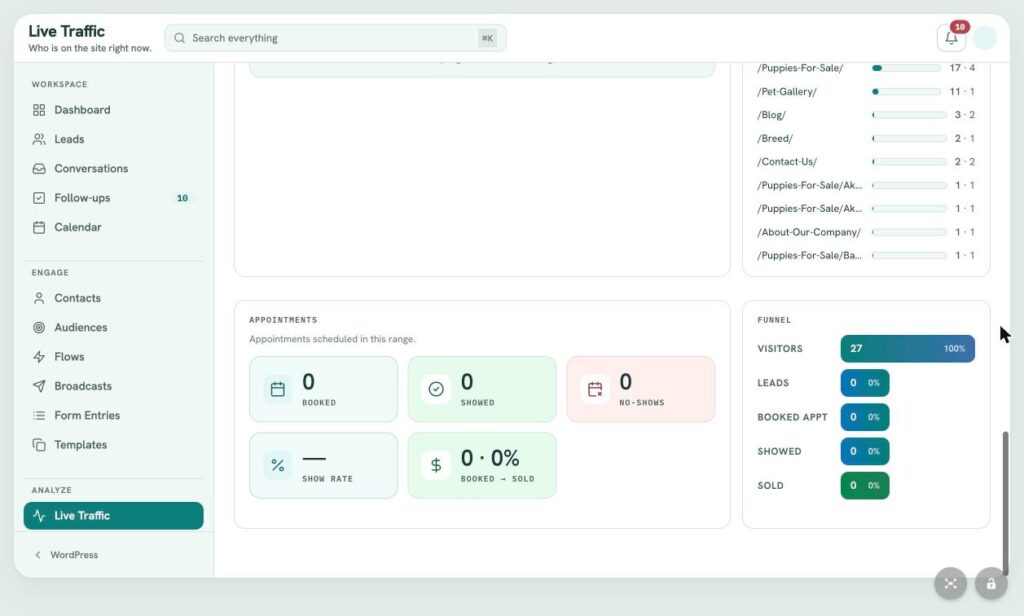
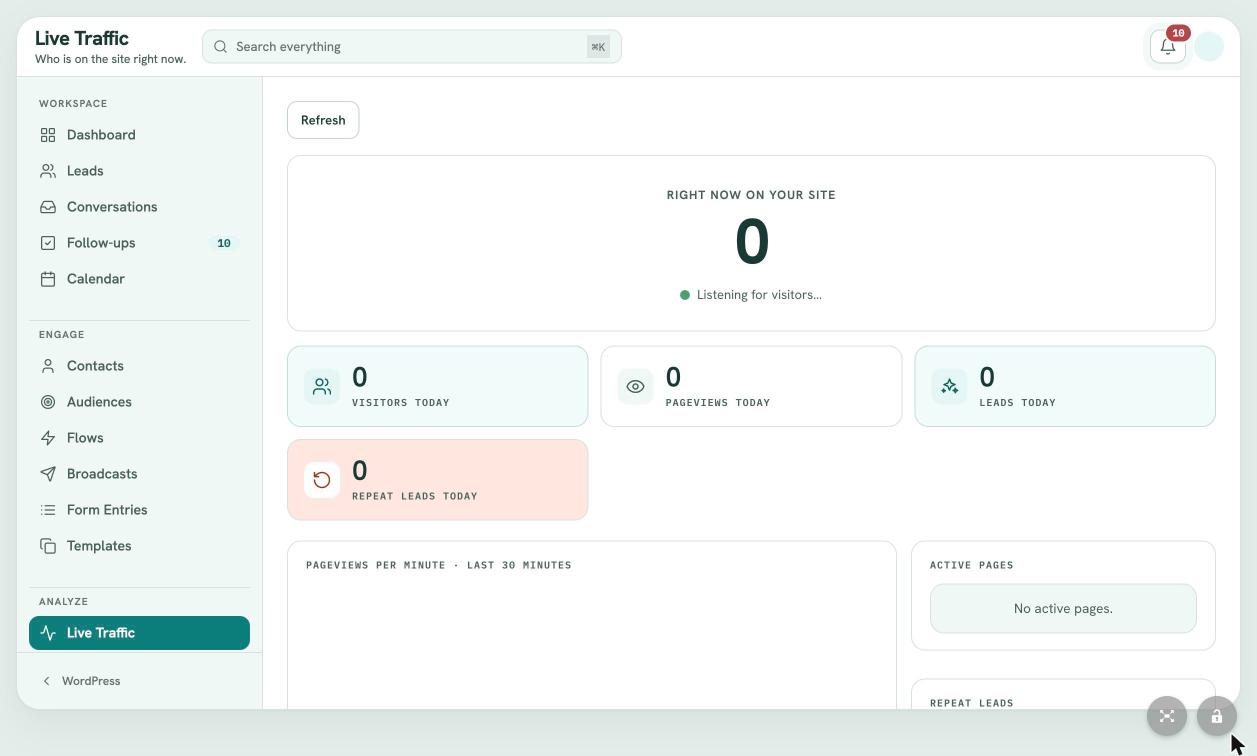
LeadFlow's own tracker shows visitors right now, pageviews per minute, active pages and returning inquirers, then trends by day, channel, source, campaign and page, all the way through a visitors to sold funnel.
- Real time visitors and pages
- Leads by channel, source and campaign
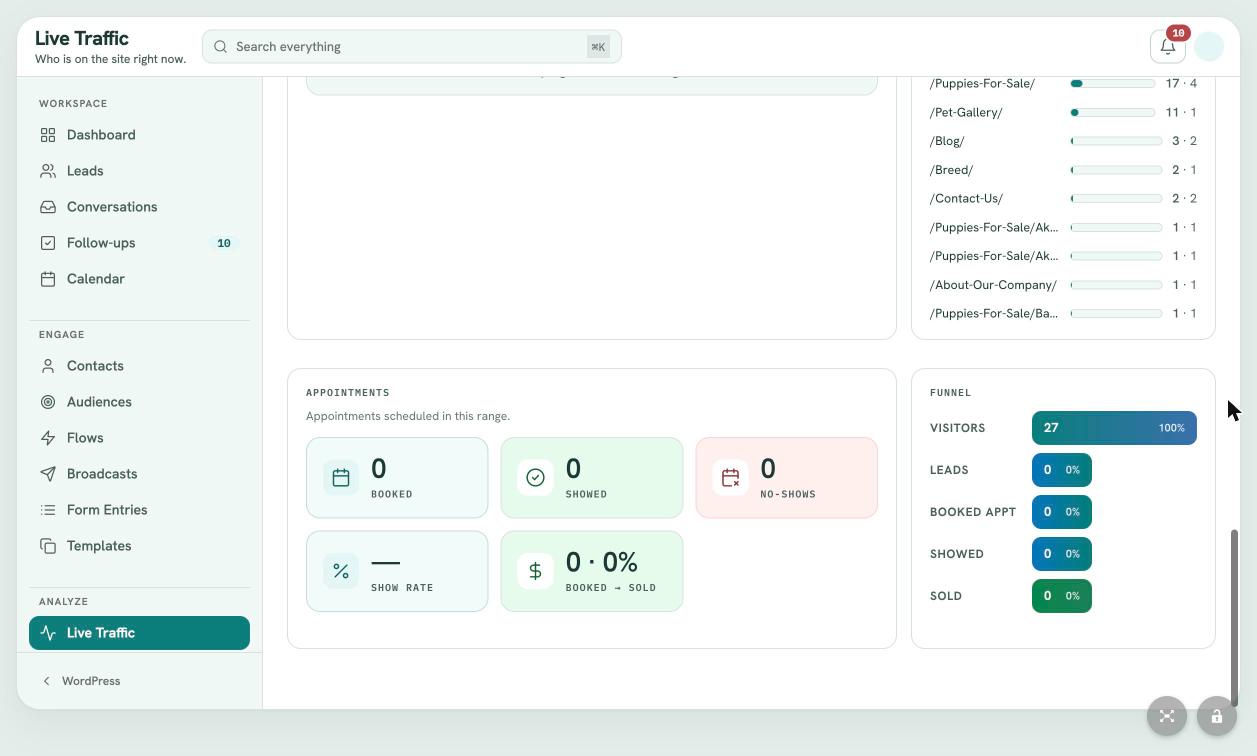
- Top pages and appointment outcomes
- Visitor to sale funnel
 (view larger)
Analyze / Reports
Results measured against your normal.
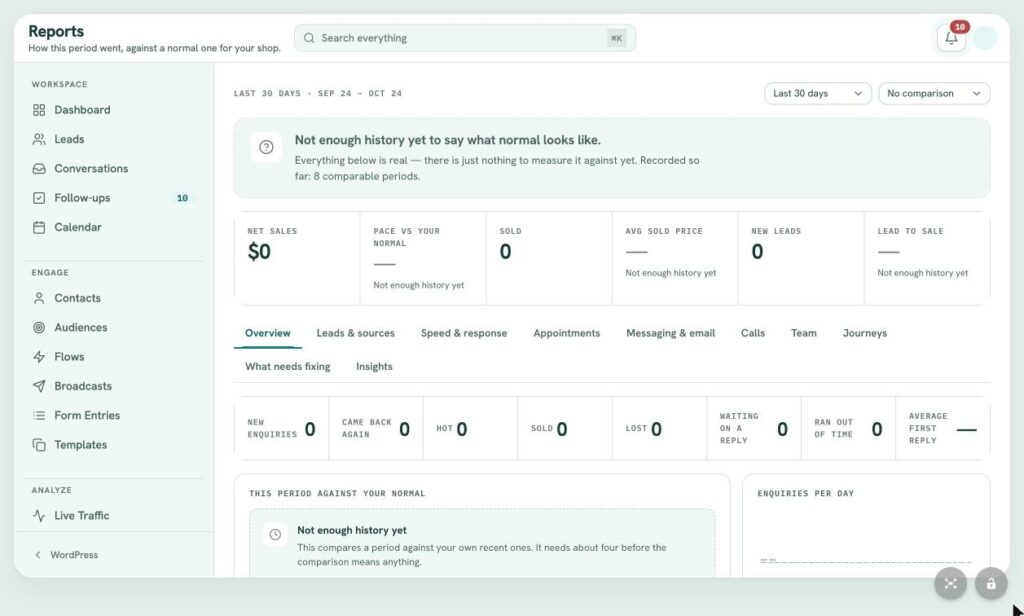
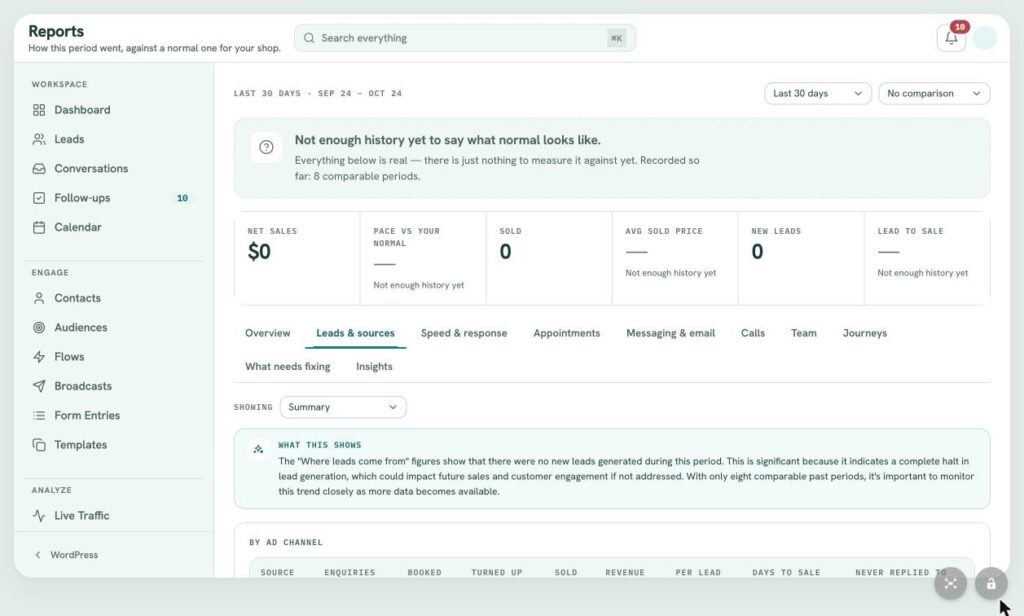
Compare any period to the one before or to last year: net sales, pace against your normal, sold, average sold price, new leads and lead to sale. Tabs cover sources, response speed, appointments, messaging, calls, team, journeys and what needs fixing, each with a plain English summary.
- Period and year over year comparison
- Ten report tabs
- WooCommerce sales attribution
- AI summaries written from your own numbers
 (view larger)
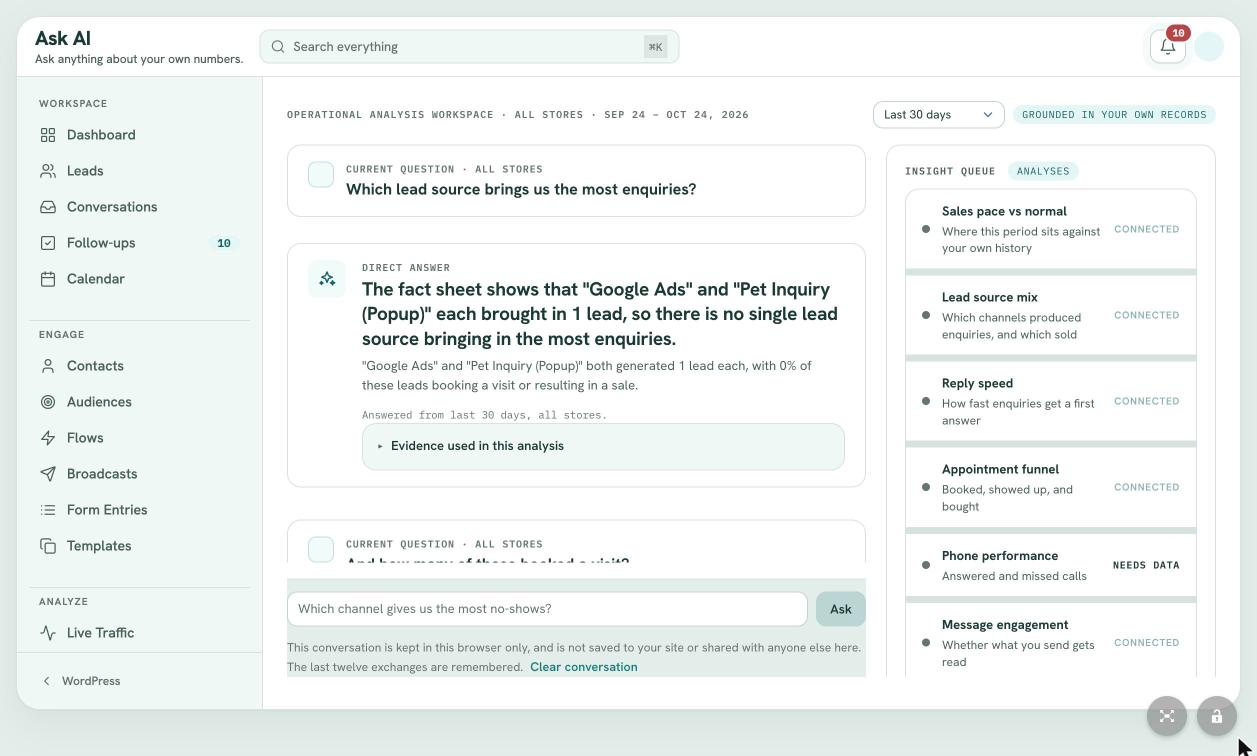
Analyze / Ask AI
Ask your numbers a question.
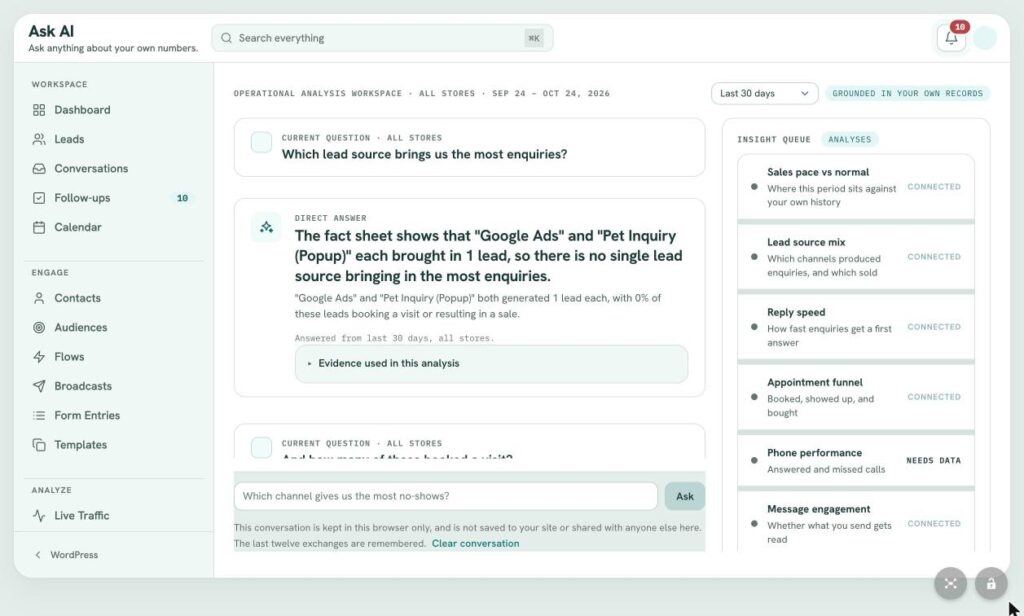
Ask in plain English, like which lead source brings the most inquiries, and get a direct answer with the evidence behind it. An insight queue shows which areas of your data are connected and ready to analyze.
- Answers grounded in your own data
- Shows the evidence it used
- Sales pace, sources, reply speed and funnel insights
- Conversations stay in your browser
Under the hood
The details that close more leads.
The rules, safeguards and smarts that make LeadFlow more than a contact list.
-
AI that knows your business
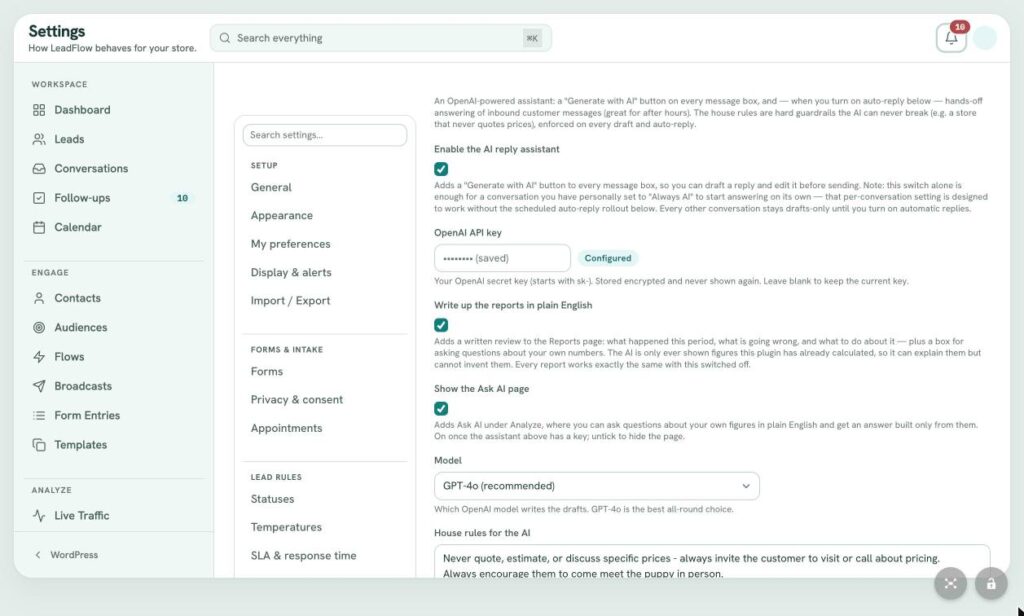
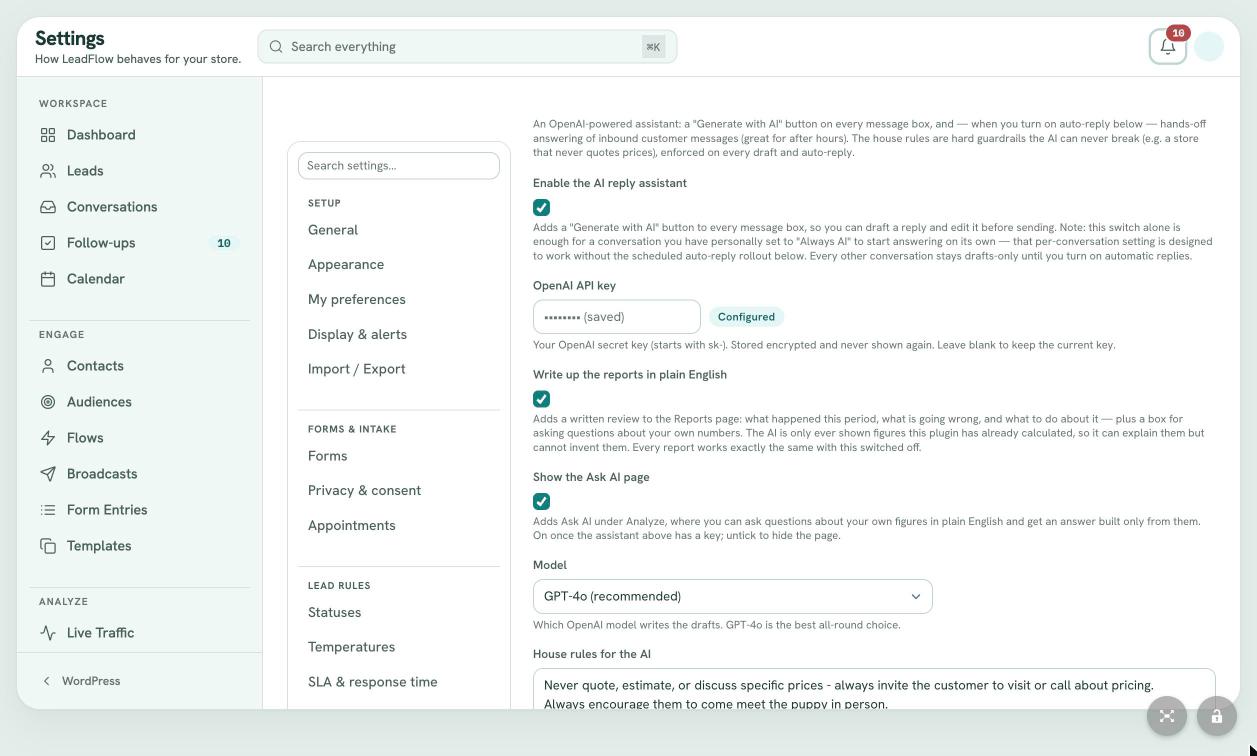
Generate with AI in every composer, Before You Call briefings, plain English report summaries and Ask AI. House rules keep every draft on brand, like never quoting prices.
-
Speed to lead, built in
Response timers with yellow, orange, red and urgent thresholds, a due time on every lead and alerts when nobody has replied.
-
Lead scoring
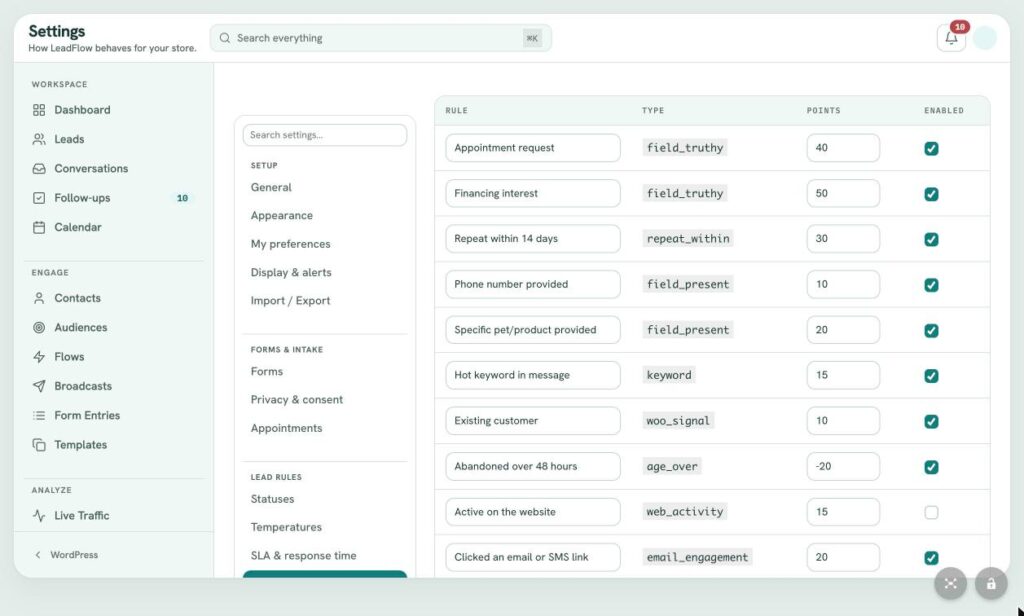
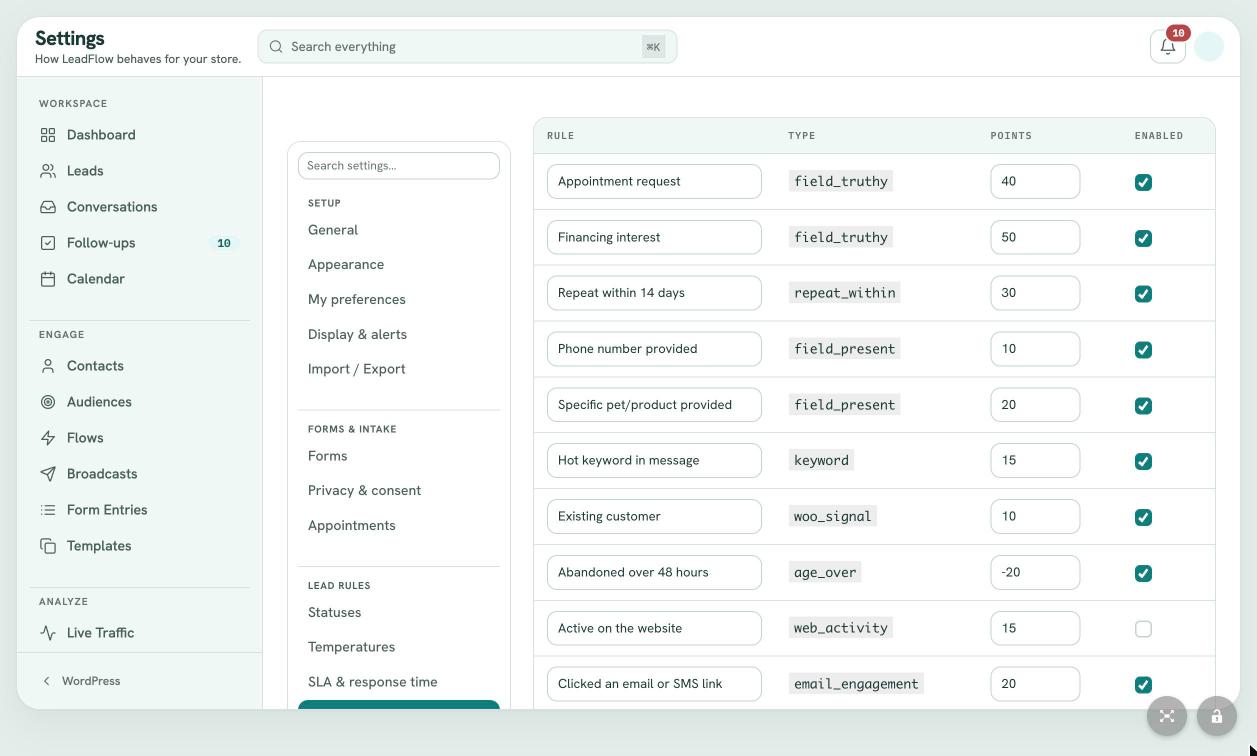
Points for appointment requests, financing interest, repeat inquiries, phone numbers, hot keywords, existing customers and email clicks set every lead to Cold, Warm or Hot.
-
Smart assignment
Manual, default user or role, round robin, least active, by form or by location, with fallbacks, exclusions and hot lead specialists.
-
Sales attribution
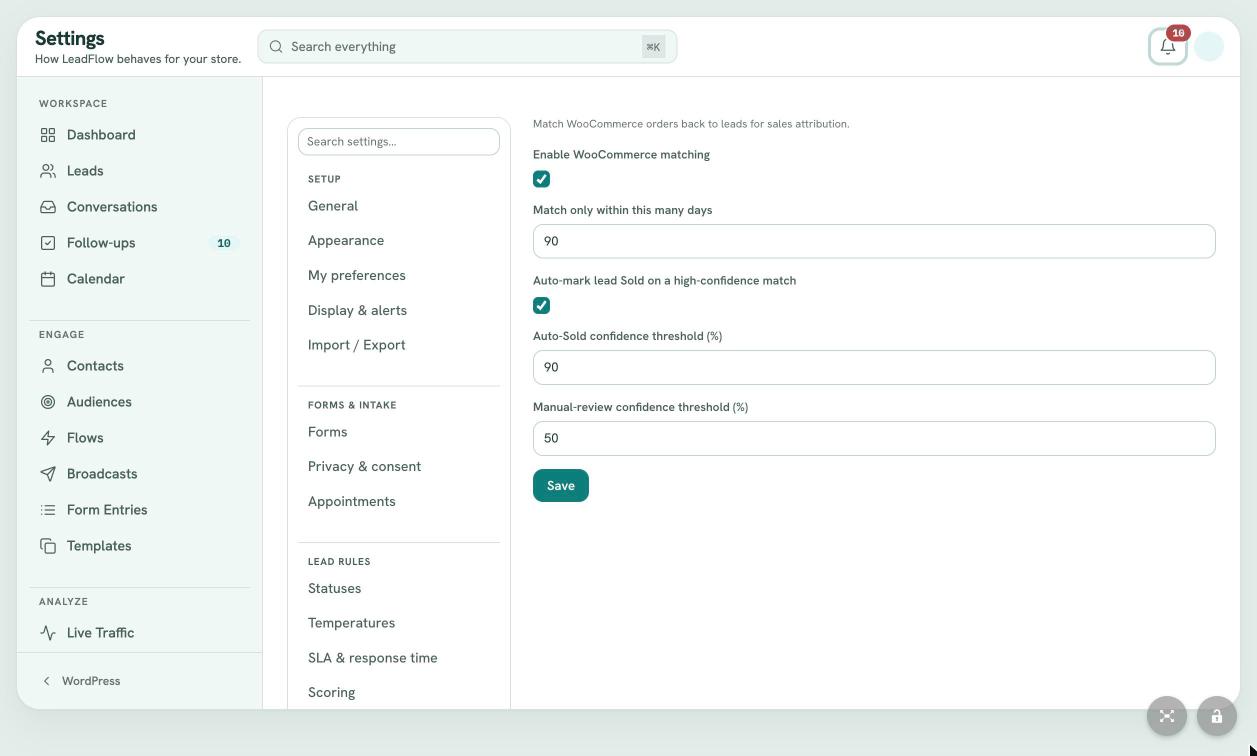
WooCommerce orders matched to leads inside a 90 day window. Confident matches mark the lead sold automatically; the rest go to review.
-
Serious spam protection
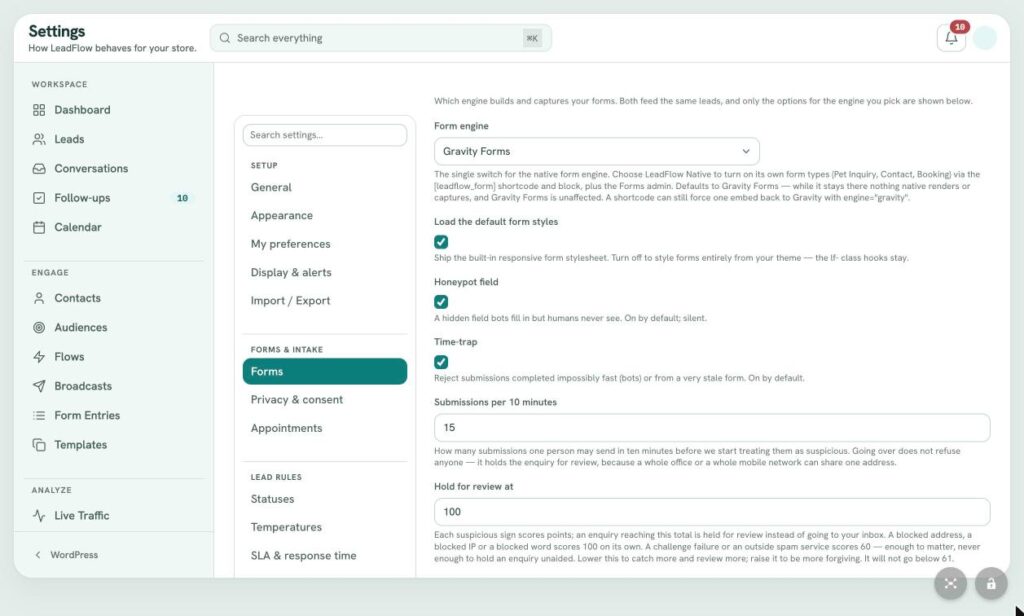
Honeypot, time trap, rate limits, review scoring, disposable email blocking and keyword, email and IP lists, plus optional Akismet and Cloudflare Turnstile.
-
Appointments
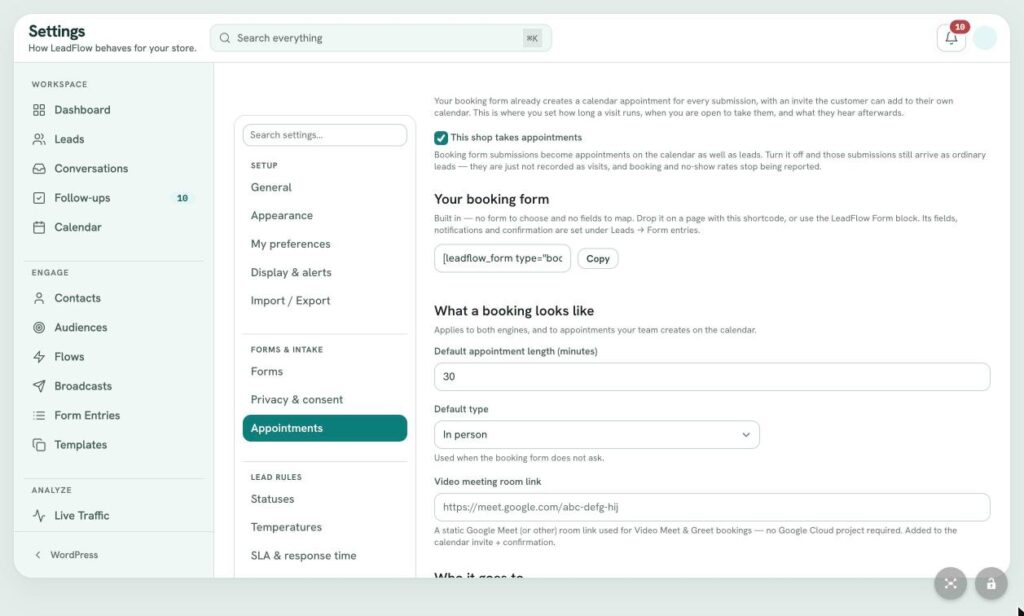
A built in booking form, color coded appointment types, capacity, business hours, booking windows, in person or video visits and instant confirmations.
-
A pipeline you define
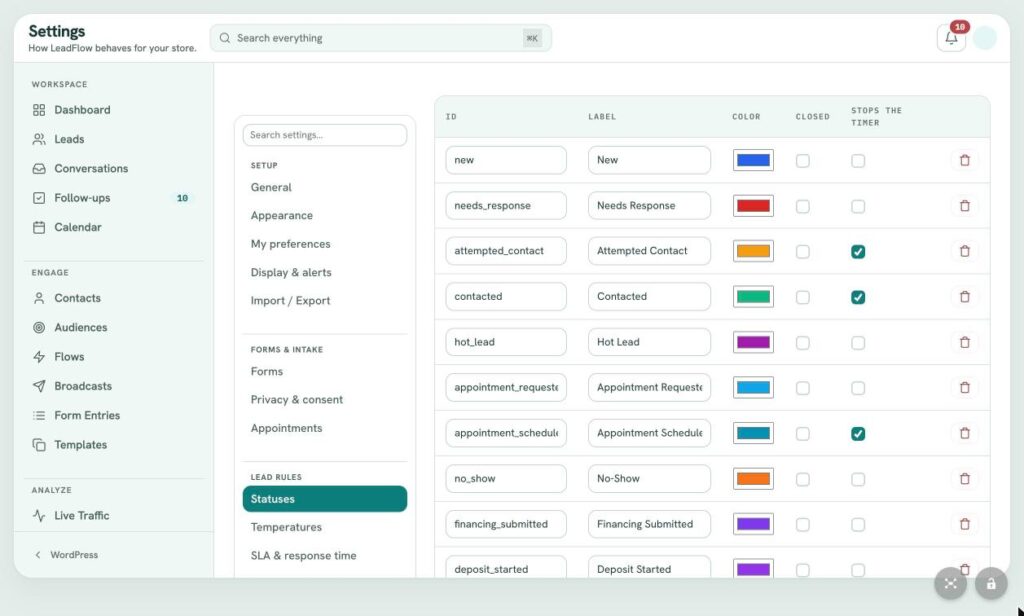
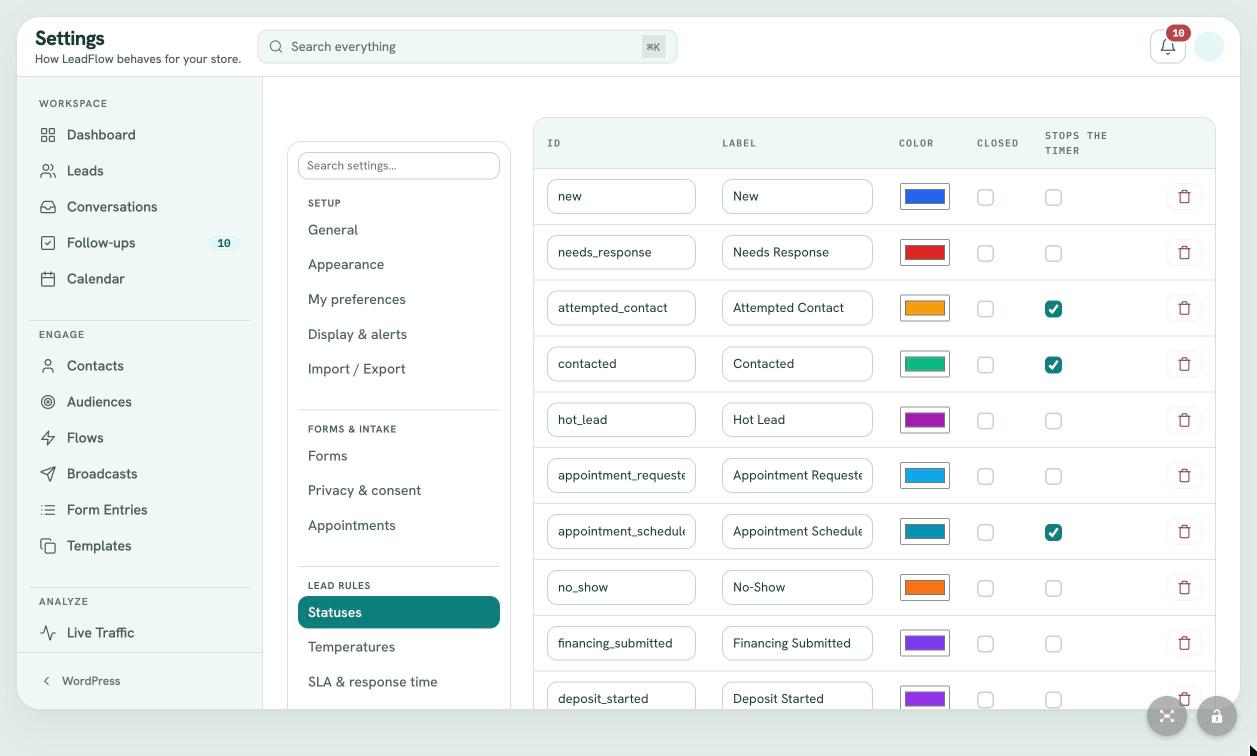
Seventeen statuses out of the box, each with its own color, closed flag and timer rule. Logging a call can move a lead forward automatically.
How it works
From first click to closed sale.
-
Capture
A visitor fills in a Gravity Form or a LeadFlow form. Spam filters screen it, and it becomes a lead with an owner, a score and a response clock.
-
Route
Assignment rules hand it to the right person by round robin, workload, form or location. Hot leads go straight to your specialists.
-
Respond
Your team answers by email or text from one inbox, with an AI briefing ready before the first call. Speed to lead flows can reply in seconds.
-
Follow up
Tasks, appointments, reminders and automations keep every lead moving until it books, buys or says no.
-
Attribute
WooCommerce orders are matched back to the lead that produced them, so reports show which sources and which people drive sales.
Integrations
Works with the tools you already use.
Send with one provider and catch replies with another. Use one carrier for conversations and another for bulk sends. LeadFlow connects to the tools you already pay for instead of locking you into its own.
Forms
- Gravity Forms Every submission becomes a managed lead
Commerce
- WooCommerce Orders matched back to the leads that produced them
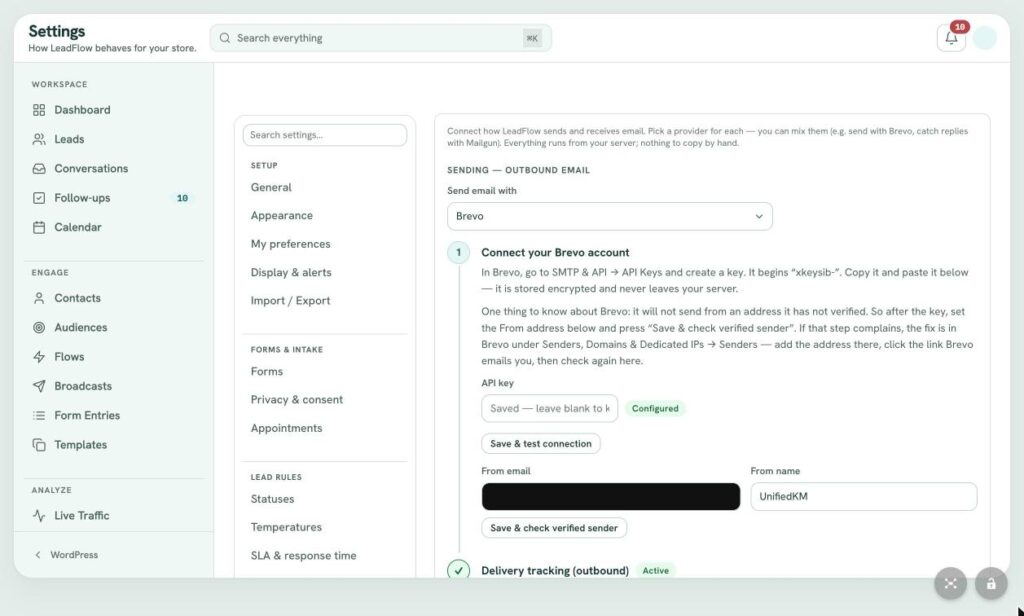
- Brevo Sending, delivery tracking and reply capture
- Mailgun Sending and inbound reply capture
- SendGrid Inbound reply capture
- WordPress mail Send through your site's own SMTP
Texting
- Twilio Two way SMS
- Sendblue iMessage plus SMS
- Telnyx Two way SMS
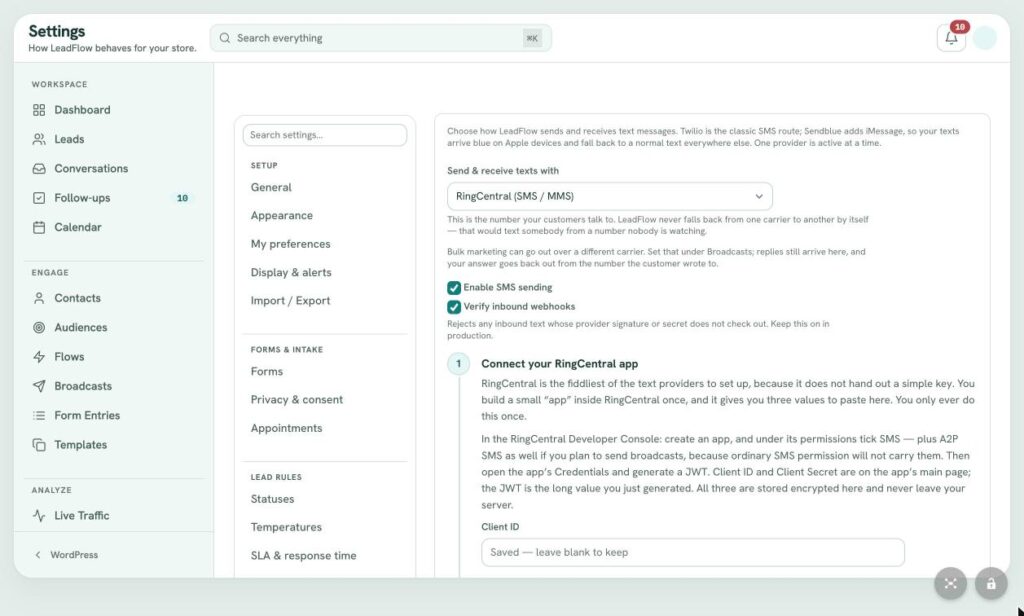
- RingCentral SMS and MMS with verified webhooks
AI
- OpenAI Drafts, briefings, report summaries and Ask AI
Calls
- CallTrackingMetrics Calls, recordings and transcripts on the right contact
Scheduling
- Google Calendar Appointments on your calendar, with video room links
Security
- Cloudflare Turnstile Bot protection on every form
- Akismet Spam screening for submissions
Compare
LeadFlow vs. the cloud CRMs.
HubSpot, Zoho CRM and GoHighLevel are capable platforms, built as separate clouds you connect your website to. LeadFlow takes the other path: it lives inside the WordPress site your leads already come from.
| LeadFlow | HubSpot, Zoho CRM, GoHighLevel | |
|---|---|---|
| Where your team works | Yes. Inside your WordPress admin | No. A separate app and login |
| Where lead data is stored | Yes. Your own WordPress database | No. The vendor's cloud |
| Website form submissions | Yes. Gravity Forms and native forms become leads directly | Through embed codes, plugins or connectors |
| WooCommerce sales attribution | Yes. Orders matched to the lead that produced them | Through an integration, where available |
| Email and SMS providers | Yes. Bring your own: Brevo, Mailgun, Twilio, Sendblue, Telnyx or RingCentral | Mostly the vendor's own sending |
| Website visitor tracking | Yes. Built in and tied to each lead | A tracking script added to your site |
| AI grounded in your numbers | Yes. Drafts, call briefings, report summaries and Ask AI | Varies by vendor and plan |
| Prebuilt automations | Yes. 27 flows, all off until you approve them | Varies by vendor and plan |
Reflects how LeadFlow works and how cloud CRMs are typically set up. Features and pricing vary by vendor and plan.
Product details
About LeadFlow.
LeadFlow is Cosmick Media’s own WordPress plugin for businesses that win or lose a sale on how fast they answer an inquiry. It started as a way to turn Gravity Forms submissions into managed leads. Today it is a complete sales workspace that runs inside WordPress.
Every inquiry becomes a lead with an owner, a status, a temperature, a response clock and a follow up plan. Your team answers by email and text from one shared inbox, books visits on a shared calendar and lets prebuilt automations handle the follow up nobody has time for. When a sale happens in WooCommerce, LeadFlow matches it back to the lead that produced it, so you finally know which sources and which people drive revenue.
Because LeadFlow lives in your own WordPress site, there is no separate platform to log into, no copying contacts between systems and no question about who owns your customer data. It connects to the email, texting, AI and call tracking providers you choose.
Built first for retail pet stores
LeadFlow was proven in pet stores, where a question about a specific puppy has to be answered in minutes. That is why it ties each lead to the exact pets or products of interest, tracks deposits and financing, works alongside Unified Kennel Management and measures response time to the minute. The same engine fits any business that turns inquiries into appointments and appointments into sales.
Who it is for
Built for teams that live on inquiries.
-
Retail pet stores
Where LeadFlow was proven: puppy inquiries tied to the exact pets of interest, deposits, financing, visits and welcome home follow ups.
-
Appointment based sales
Any business that turns an inquiry into a visit and a visit into a sale can run its queue, calendar and reminders from one place.
-
Multi location teams
Route leads by store or location, compare response times across your team and see which locations convert.
-
Service businesses on WordPress
If your leads already arrive through WordPress forms, LeadFlow turns them into a managed pipeline without moving to another platform.
Security and control
Your customers. Your server. Your rules.
LeadFlow runs inside the WordPress site you already own and protect, so the people, permissions and data stay with you.
-
Your data stays on your server
Leads, contacts and message history live in your WordPress database. Uninstalling keeps them unless you choose otherwise.
-
Five built in roles
Admin, Lead Manager, Sales Team, Read Only and Reports Only, so everyone sees exactly what they should.
-
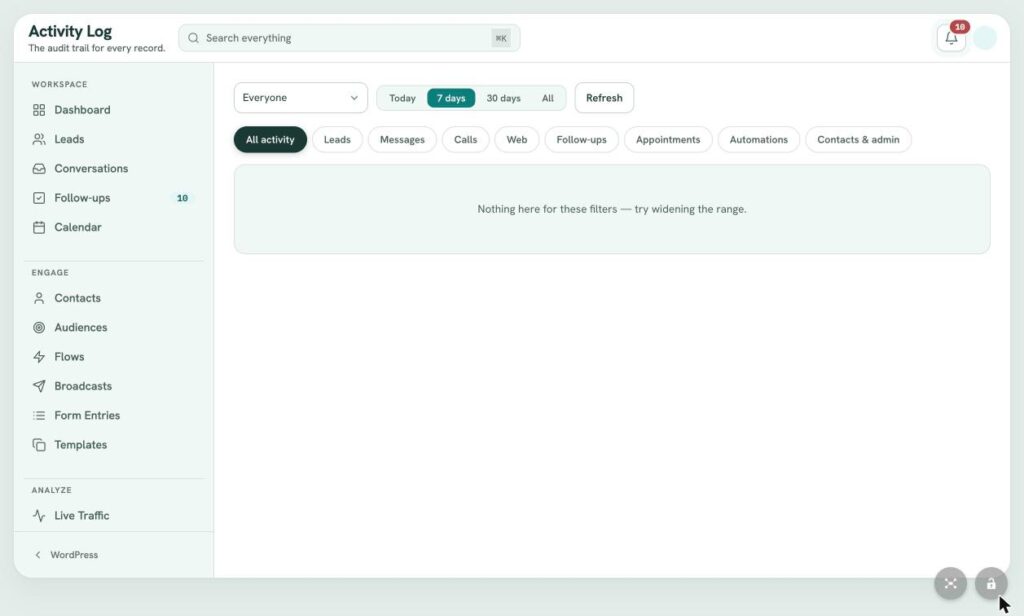
A full activity log
An audit trail for every lead, message, call, visit, follow up, appointment, automation and admin change.
-
Privacy and consent tools
Consent settings, opt out language, quiet hours and a GDPR erase tool for form entries.
-
Keys stay hidden
API keys and secrets are never displayed again once they are saved.
-
Nothing sends by surprise
Prebuilt automations arrive as drafts, and AI auto reply can be limited to after hours with a hand off to a person.
Screens
A look inside.
-
 (view larger)
Dashboard: Follow ups and Finish Setting Up -
 (view larger)
Leads: List View and Status Filters -
 (view larger)
Leads: Board (Kanban) View -
 (view larger)
Lead Record: Header, AI Before You Call, Pets of Interest, Conversation -
 (view larger)
Lead Record: Follow up Scheduler and Contact Card -
 (view larger)
Conversations: Unified Email and SMS Inbox -
 (view larger)
Follow ups: Task Queue -
 (view larger)
Calendar: Month View -
 (view larger)
Contacts: Contact List -
 (view larger)
Audiences: Ready to Use (Reach and Hygiene) -
 (view larger)
Audiences: Engaged and On the Website -
 (view larger)
Flows: Automation Library (Speed to Lead) -
 (view larger)
Live Traffic: Real time Visitors -
 (view larger)
Live Traffic: Trends and Leads by Channel -
 (view larger)
Live Traffic: Top Pages, Appointments and Funnel -
 (view larger)
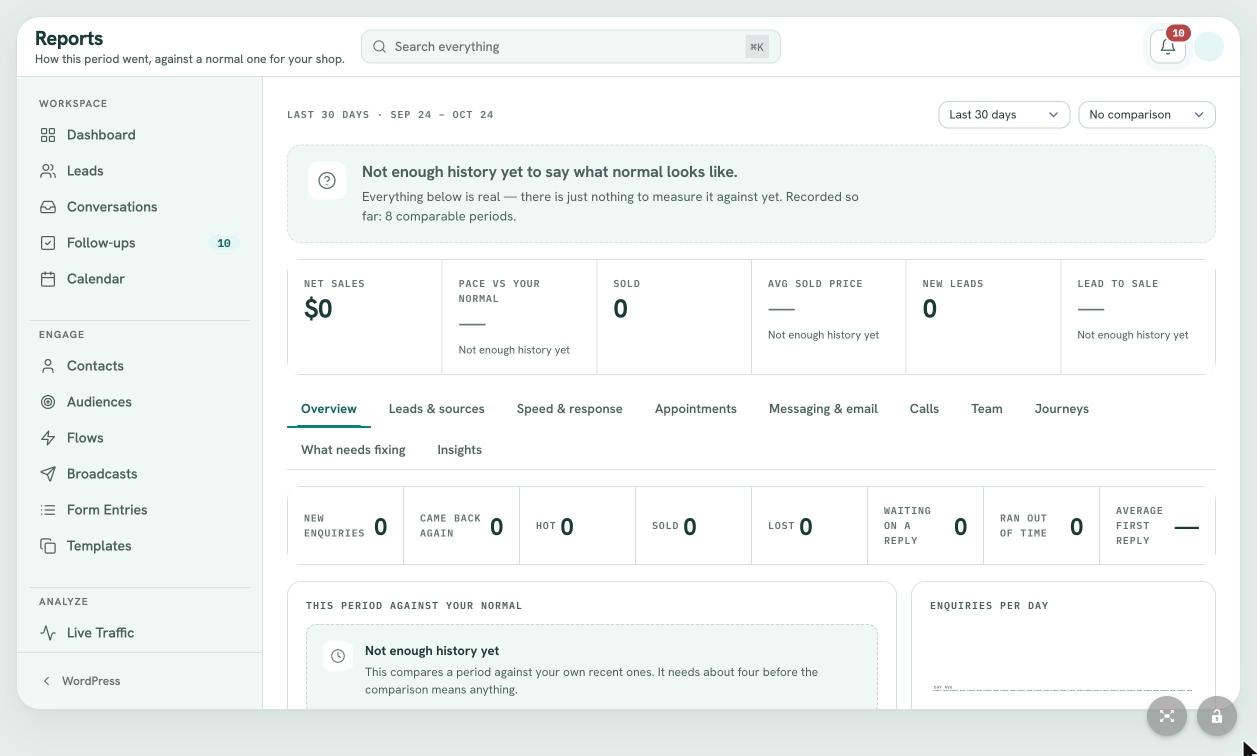
Reports: Overview -
 (view larger)
Reports: Leads and Sources with AI Summary -
 (view larger)
Ask AI: Operational Analysis Workspace -
 (view larger)
Templates: Message Template Library -
 (view larger)
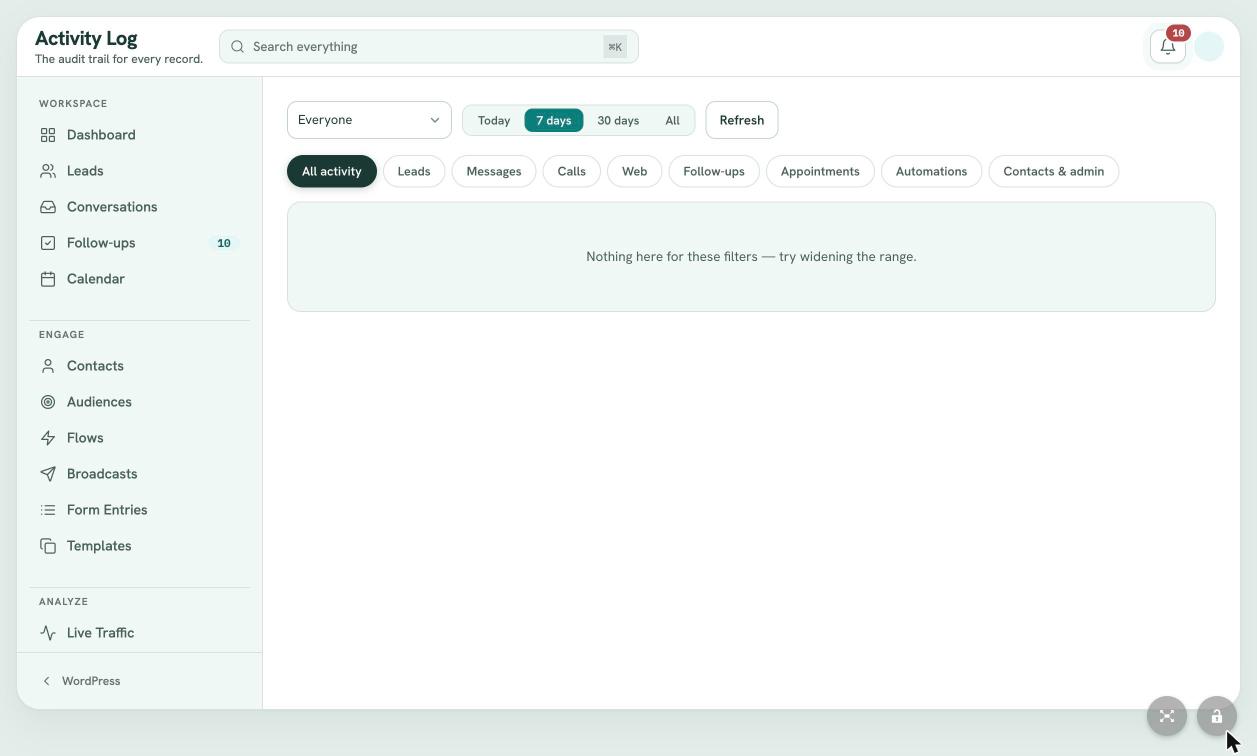
Activity Log: Audit Trail -
 (view larger)
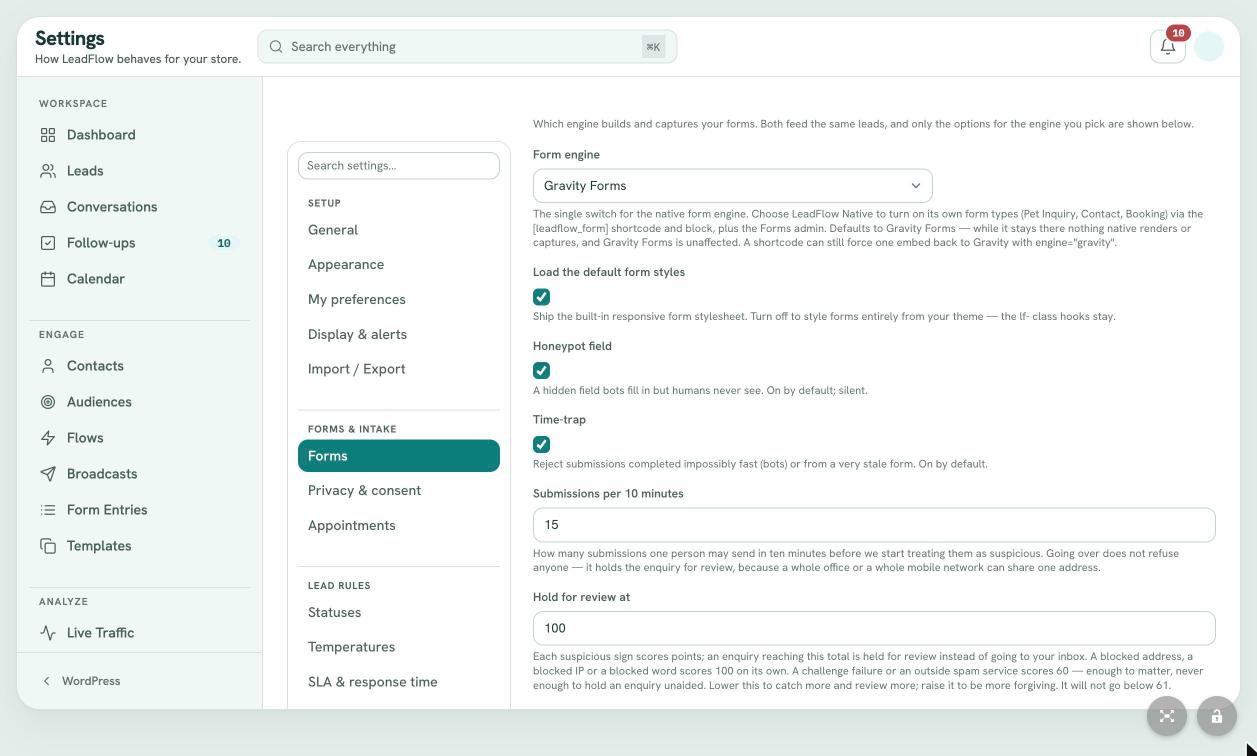
Settings: Forms (Engine and Spam Protection) -
 (view larger)
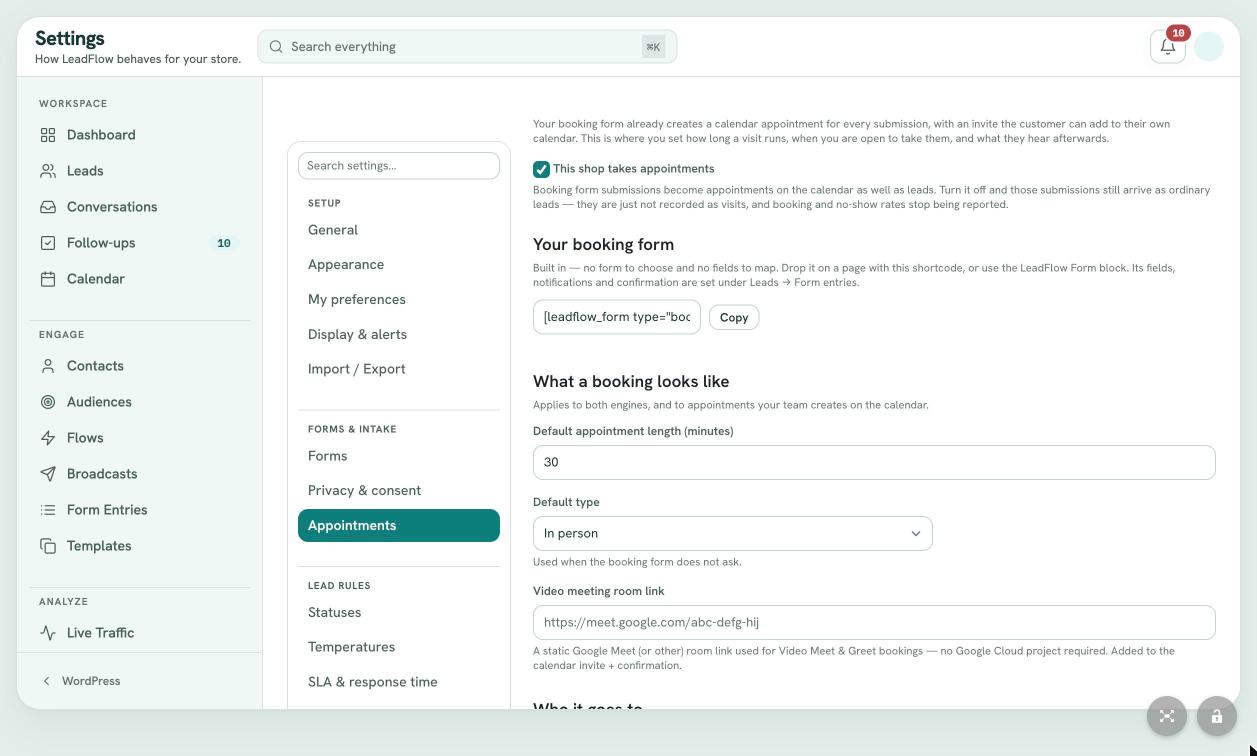
Settings: Appointments -
 (view larger)
Settings: Lead Statuses -
 (view larger)
Settings: Lead Scoring Rules -
 (view larger)
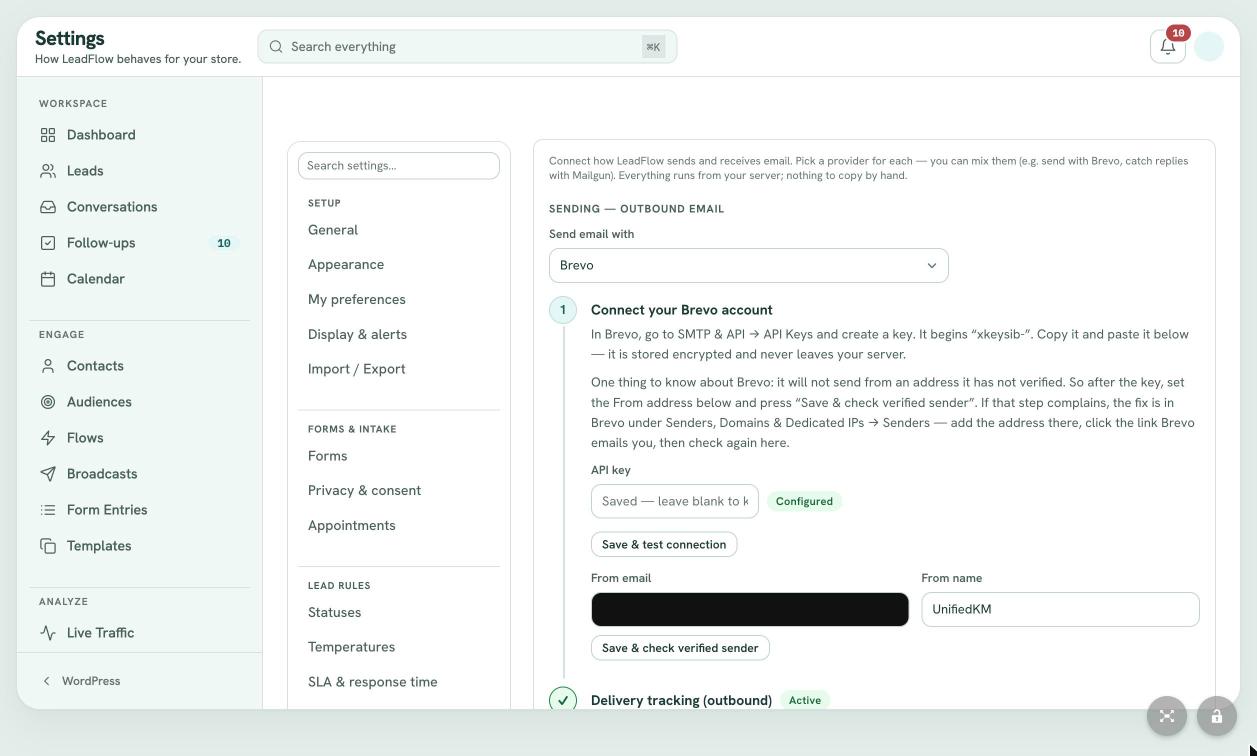
Settings: Connect Email (Brevo and Mailgun) -
 (view larger)
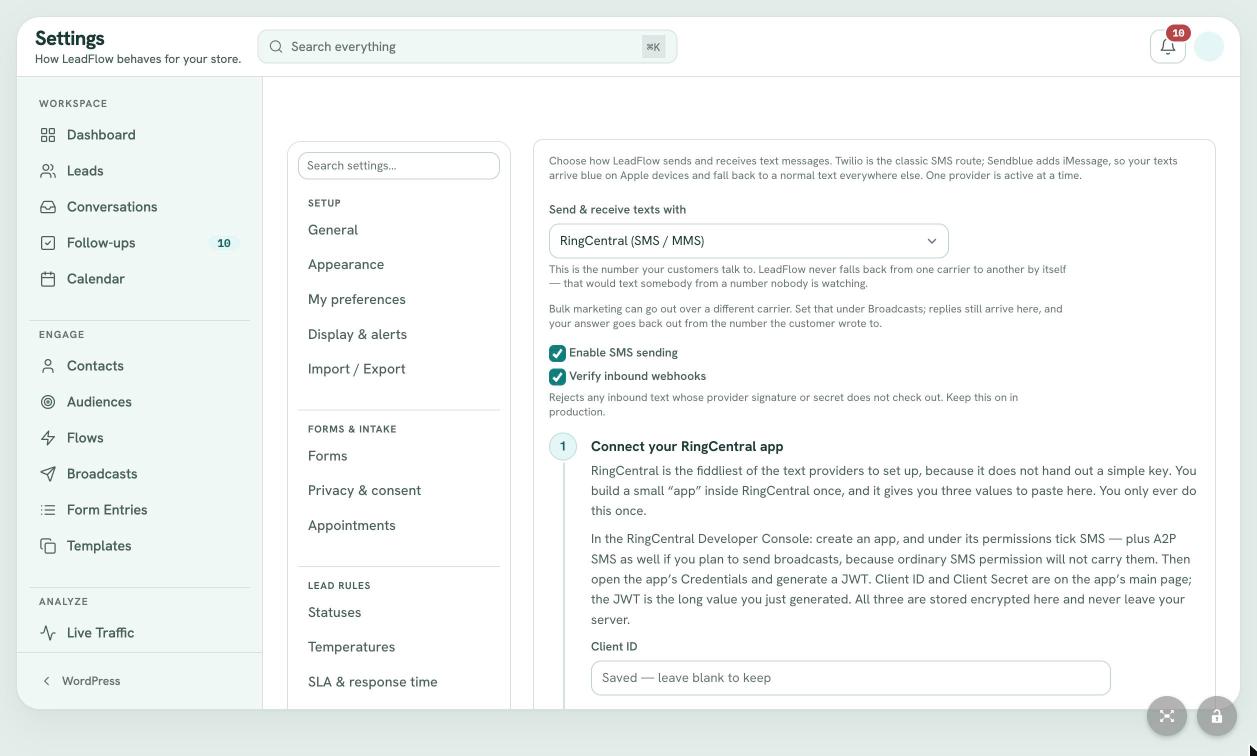
Settings: Messaging (RingCentral SMS) -
 (view larger)
Settings: AI Assistant (OpenAI) -
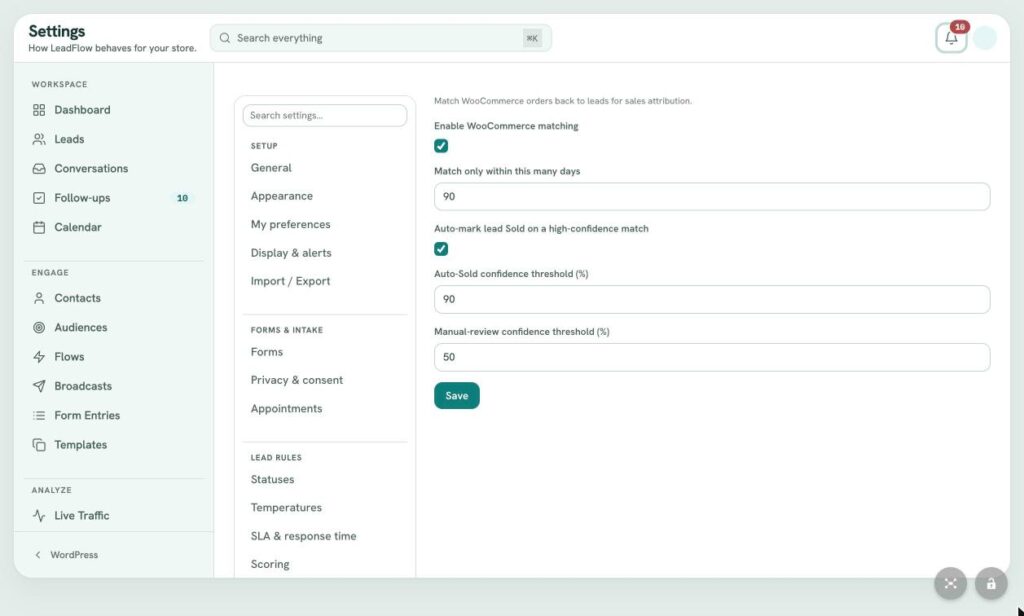 (view larger)
Settings: WooCommerce Sales Matching
Questions
Common questions.
Is LeadFlow a separate app?
No. LeadFlow is a WordPress plugin. It runs as a full screen app inside your WordPress admin, with its own navigation and search, so your team works where your website already lives.
Do I need Gravity Forms?
No. LeadFlow works with Gravity Forms, and it also ships its own forms for inquiries, contact requests, appointment booking and pricing requests. One setting switches between them, and existing Gravity Forms entries can be brought across.
Which email and texting providers does it work with?
Email can send through WordPress mail, Brevo or Mailgun, with replies captured through Mailgun, Brevo or SendGrid. Texting works with Twilio, Sendblue (including iMessage), Telnyx or RingCentral. You can use one carrier for conversations and another for bulk sends.
How is LeadFlow different from HubSpot, Zoho CRM or GoHighLevel?
Those platforms are separate clouds you connect your website to. LeadFlow lives inside WordPress, keeps your data in your own database, turns your forms into leads directly and matches WooCommerce orders back to the leads that produced them.
What does the AI do?
It drafts emails and texts in every composer, writes a Before You Call briefing on each lead, summarizes reports in plain English and answers questions about your numbers on the Ask AI page. House rules guide every draft. AI auto reply is optional, can be limited to after hours and hands off to a person.
Will automations start sending as soon as it is installed?
No. Every prebuilt flow arrives as a draft. Nothing sends until you read it, adjust it and turn it on.
What happens to my data if I uninstall?
Your leads, contacts and message history stay in your WordPress database. Deleting everything is a separate setting, and it is off by default.
How do we get started?
Ask for a walkthrough. We will show you LeadFlow on real screens, talk through how your team handles leads today and map out the setup: forms, email, texting and the rules that fit how you work.
Keep exploring
More from the software studio.
See LeadFlow on your own leads.
Book a walkthrough and we will show you how LeadFlow fits the way your team answers, follows up and closes today.