
PHP2Shell and the WordPress Work That Kept Us Up Until 2 AM
By Carley Kuehner, CEO of Cosmick Media, Inc.
My workday started at 9 a.m. Eastern. It ended at 2 a.m. the next morning.
Most of those seventeen hours went into one thing: making sure the WordPress websites we manage were in good shape after PHP2Shell, a pair of critical PHP vulnerabilities that had hosting companies and website teams around the world working through the night this week.
Our hosting partner, Kinsta, patched its servers quickly. That was the headline, and it was good news. But a patched server is only one layer of a website. So we pulled our monthly maintenance forward, deployed hundreds of plugin updates across the sites we look after, and started checking them by hand.
I want to walk you through what happened, why we kept going after the hosting issue was marked resolved, and what to check if you run your own WordPress website.
What PHP2Shell is, in plain English
PHP is the programming language that powers WordPress and a large share of the web. When someone visits a WordPress site, PHP running on the server is what builds the page they see.
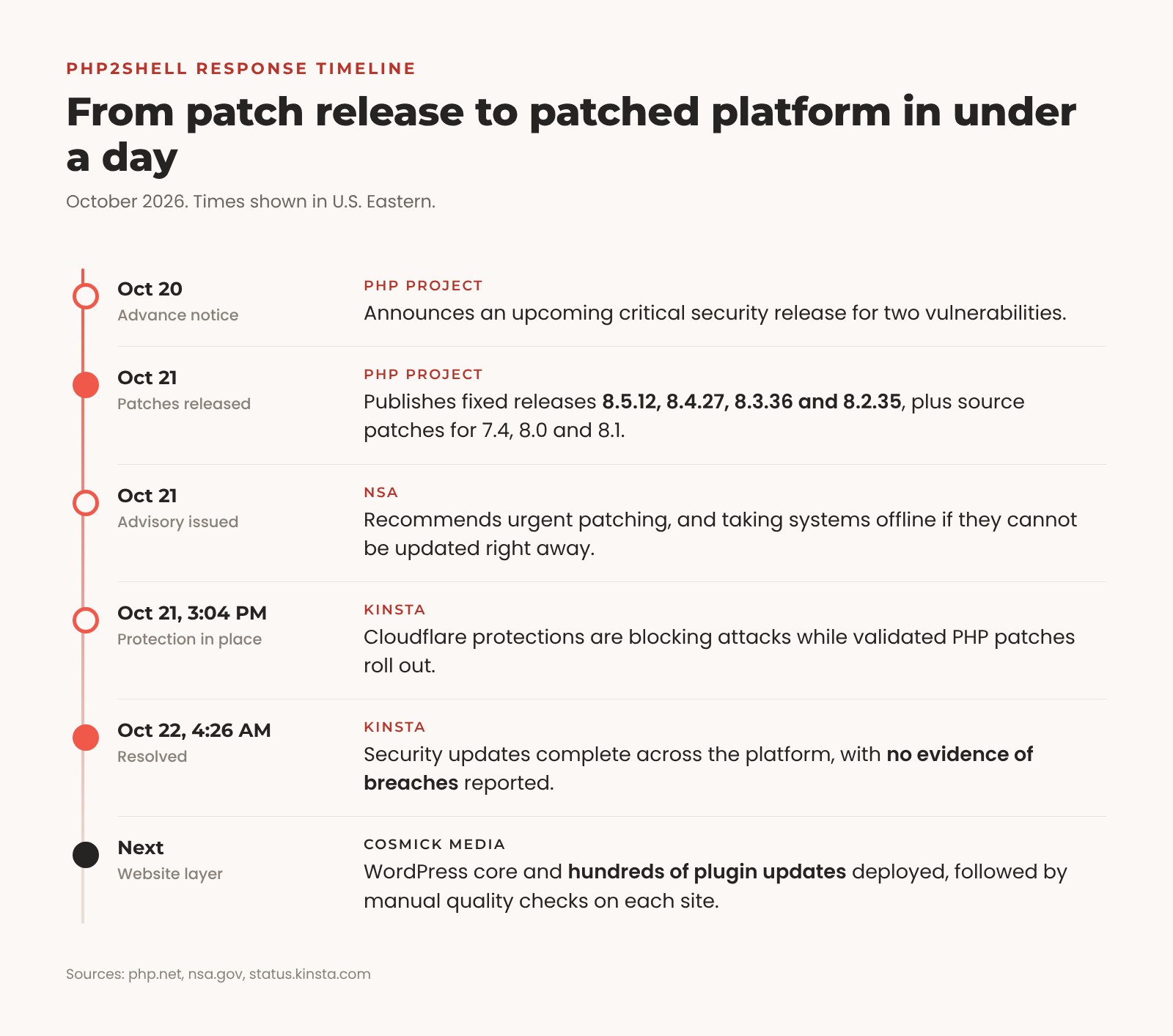
PHP2Shell is the name given to two critical flaws in PHP itself, tracked as CVE-2026-109618 and CVE-2026-109619. The PHP project released fixes on October 21, 2026. In the wrong hands, these flaws could let an attacker run their own code on a vulnerable web server without logging in to anything. That opens the door to stolen data, altered website files, and downtime.
This was not a theoretical risk. Help Net Security reported that a working exploit had been demonstrated and that Amazon’s threat intelligence team had seen an exploitation attempt days before the flaws were made public. The same day the patches shipped, the U.S. National Security Agency issued an advisory urging organizations to patch quickly and to take affected systems offline if they could not update right away.
Two points matter most for website owners:
- The fix lives on the server. The PHP releases that address both vulnerabilities are 8.5.12, 8.4.27, 8.3.36, and 8.2.35, with source patches available for older 7.4, 8.0, and 8.1 installations.
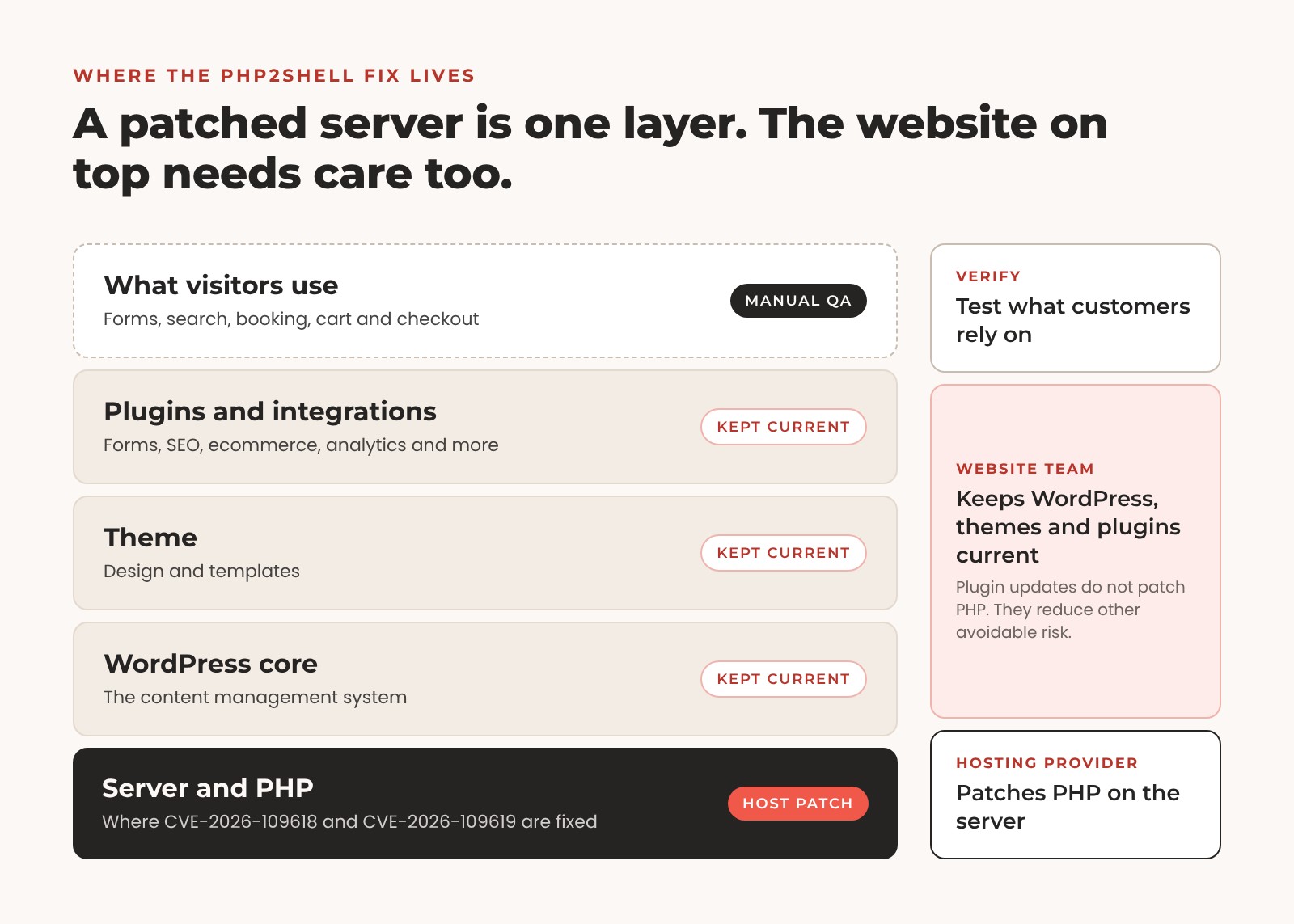
- Updating a WordPress plugin does not patch PHP. Only your host, or whoever manages your server, can apply that fix.
How Kinsta handled the server side
We host the websites we build with Kinsta, and this week was a good reminder of why. Kinsta’s public incident timeline shows that by 3:04 p.m. Eastern on October 21, Cloudflare protections were already blocking attacks while validated PHP patches rolled out. Over the following hours, the rollout expanded to every PHP version on the platform, from 7.4 through 8.5.
At 4:26 a.m. Eastern on October 22, Kinsta marked the incident resolved, confirmed that the security updates were complete across its platform, and reported no evidence of breaches related to the vulnerabilities.
In a direct update to our team, Kinsta added that it worked with Cloudflare and its vulnerability protection partner, Patchstack, so its web application firewalls were blocking exploitation attempts before and during the rollout. Live, staging, and suspended environments all received the security updates.
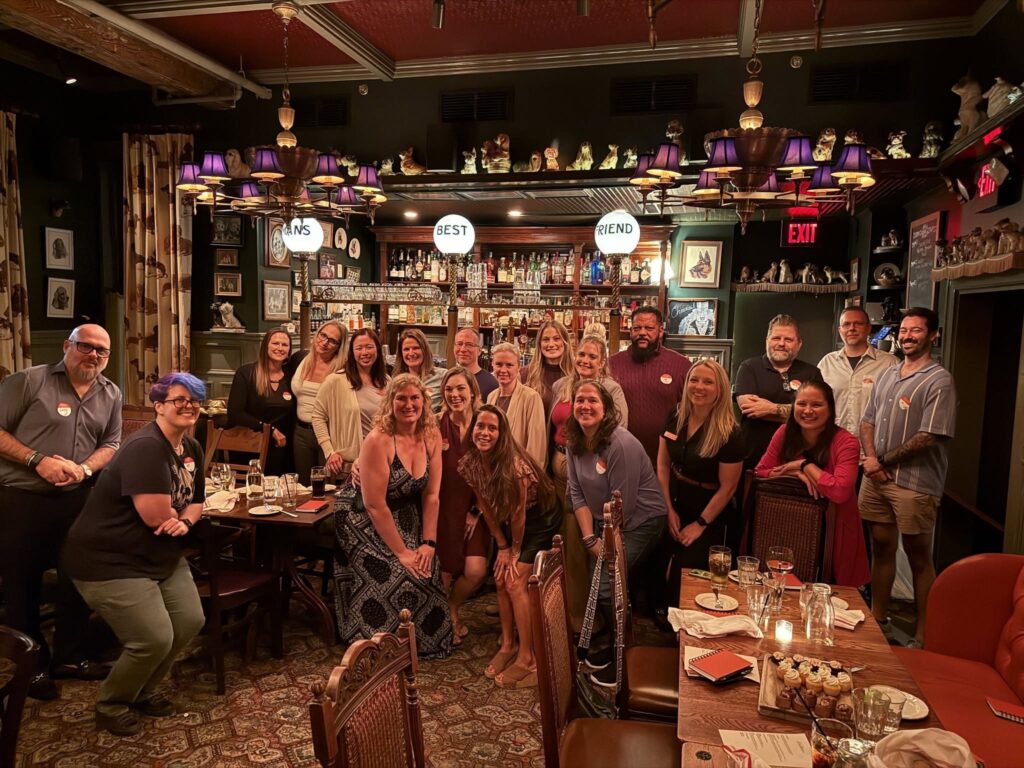
That is what we want from a hosting partner on a hard day: protection in place while the fix rolls out, clear communication along the way, and a confirmation when the work is finished. If you’re curious why we chose Kinsta in the first place, we wrote about it after Kinsta’s agency dinner in Philadelphia, and you can read more about our Kinsta Agency Elite Partnership.
Why our work didn’t stop at the server patch
A WordPress website is built in layers. The server and PHP sit at the bottom. WordPress core sits on top of that, followed by the theme, the plugins, and the integrations that make each site do what it does. Kinsta’s patch covered the bottom layer. Everything above it is ours to maintain.
We normally run plugin maintenance once a month. With an advisory this serious, I wasn’t comfortable waiting for the next scheduled window. Outdated plugins are one of the most common ways into a WordPress site, and I didn’t want avoidable exposure sitting on top of a freshly patched server.
So we brought the work forward. We updated WordPress core across the websites under our management and deployed hundreds of plugin updates as an extra precaution. That work, along with the checks that follow it, is still underway as we work through each site’s requirements.
To be clear, these plugin updates are not the fix for PHP2Shell. They are good maintenance that reduces other avoidable risk at a time when everyone’s attention is on security.
Why we check every site by hand
A business website exists so people can do something on it. Submit a form. Search inventory. Book an appointment. Buy something.
An update can report success while a feature quietly stops working. A form and a theme stop agreeing with each other, a checkout field disappears, or a booking tool fails to load. Nobody notices until a customer does.
That’s why every round of updates is followed by manual quality checks. We look at the pages, navigation, forms, and the features each site depends on. We confirm the updates applied properly and look for compatibility issues before customers run into them. Deploying hundreds of updates takes coordination. Checking how each site behaves afterward takes time. Both are part of responsible website maintenance.
Six things to check on your WordPress website now
If you manage your own WordPress site, this is a good week to give it some attention. Treat backups and testing with the same care you would expect from a professional website team.
- Get your host to confirm the PHP patch. Ask whether your live and staging environments received the fixes for CVE-2026-109618 and CVE-2026-109619. Being on PHP 8.2 or 8.3 doesn’t tell you whether the patch is in place. Ask for the specific patched release, such as 8.3.36, or confirmation of the vendor patch your host applied.
- Back up before you change anything. Keep a restorable copy of your website files and database. Test updates on a staging site where you can. If a security update can’t be applied safely, ask your host or developer for an urgent plan rather than waiting.
- Update WordPress, plugins, and themes from trusted sources. Read the release notes for security fixes and compatibility requirements. Remove plugins you no longer use after confirming nothing depends on them. If a plugin has been abandoned or has a known vulnerability with no fix, talk to your developer about a supported replacement. The WordPress hardening guide explains why keeping software current matters so much.
- Review your administrator accounts. In your dashboard, go to Users > All Users and filter by Administrator. Make sure every account belongs to someone who should have that access. If you see one you don’t recognize, verify it with your website team. The WordPress Users screen guide shows how to review usernames, email addresses, and roles.
- Look for changes you didn’t make. Watch for unfamiliar plugins, pages you didn’t publish, unusual redirects, or code added to your header and footer settings. Some unfamiliar scripts are legitimate tools like analytics or chat, so confirm before removing anything, and have your website team review the relevant logs and security scan results.
- Test what your visitors actually use. Click through your most important pages on desktop and mobile. Submit a test inquiry and make sure it arrives. Walk through booking, search, cart, and checkout where they apply, using proper test methods rather than real payments.
If something looks wrong
Write down what you found and when, then contact your host or website team right away. Keep the relevant logs and a copy of the site as it is while they investigate and contain the issue. Updating software after a compromise does not make a site clean on its own, so let a professional confirm it. WordPress has a helpful guide on what to do if your site was hacked.
The work behind a short email
Most of our customers will see a short note from us saying the hosting patches are complete and website updates are underway. Behind that note are people applying updates, reviewing compatibility, testing forms, and checking the parts of each website that customers rely on.
My shift ran from 9 a.m. to 2 a.m. I’m tired, and I need a break. But I wanted you to see why we moved this work up and why the checks after the updates matter as much as the updates themselves.
For the websites we host and maintain, Kinsta has confirmed the PHP protections, and our plugin updates and quality checks are continuing. If you’re a Cosmick Media client with questions about your site, our support team is here for you. If you run your own website, confirm your host’s patch status and give your WordPress updates and administrator accounts a careful look this week.
Not sure what your website needs? Contact Cosmick Media and we’ll help you work out the next steps for your website maintenance and security.
Join the conversation.
A question, a different perspective, something to add? Leave a comment. Every comment is reviewed before it appears here.
1 comment


Wow. So impressive. Your Customers are fortunate to have you on their side!